 Ask in plain English
 agent/
Ask your AWS account a question, and get an answer you can check
Ask "Which Lambda failed last night?" in a notebook cell and get the answer: which functions, how often, why, and the run that shows it. Every answer says what it checked, what it couldn't read and what it cost.
- Read-only: a guard refuses anything else
- Says what it checked
- A budget per question
- Follow-up questions
- Lambda and S3, joined
- Any model: Bedrock, OpenAI, Azure, ...
It covers AWS Lambda and Amazon S3. The model is yours to pick (one on Amazon Bedrock keeps everything in AWS), run by LangChain's deepagents. The examples use acme's orders-etl from the Lambda guide, which loads each day's orders from the files that arrive in the acme-raw bucket.
Set up in SageMaker
-
Install it with the agent's extra in a notebook cell. It needs Python 3.11 or newer.
%pip install "aws-analyzer[agent]" -
Pick the model it answers with. On SageMaker the simplest is a model on Amazon Bedrock: it uses the notebook's IAM role, needs no key, and nothing leaves AWS.
from aws_analyzer import AgentView, set_timezone

set_timezone("Asia/Kolkata")   # so "last night" and "today" mean your night and your day
agent = AgentView(provider="bedrock")                    # Claude Haiku 4.5; model="sonnet" for another
# agent = AgentView(model="openai:gpt-4.1")              # OpenAI, with OPENAI_API_KEY set
# agent = AgentView()                                    # Azure OpenAI, from AZURE_OPENAI_ENDPOINT, _API_KEY, _DEPLOYMENT
# agent = AgentView(model="anthropic:claude-sonnet-4-5") # any provider LangChain supports
agent.help()
It reads AWS with the notebook's IAM execution role and region, like every other view, and
agent.tools()shows which model it picked.
Every model it can use, and time zones
| Model | How | Needs |
|---|---|---|
| Amazon Bedrock | AgentView(provider="bedrock"), Claude Haiku 4.5; model= takes a short name ("sonnet", "nova-pro"), a model ID or an inference profile, and finds a short name's ID in the region's model list |
bedrock:InvokeModel on the model; its cost uses Bedrock's list prices |
| OpenAI | AgentView(model="openai:gpt-4.1") (gpt-4.1 is the default); endpoint= for any server that speaks OpenAI's API: LiteLLM, vLLM, OpenRouter |
OPENAI_API_KEY, or api_key= |
| Azure OpenAI | AZURE_OPENAI_ENDPOINT, AZURE_OPENAI_API_KEY and AZURE_OPENAI_DEPLOYMENT in the environment, or AgentView(endpoint=..., deployment=..., api_key=...); azure_ad_token_provider= (from azure.identity.get_bearer_token_provider) for Microsoft Entra ID; the API version is 2024-10-21 unless OPENAI_API_VERSION or api_version= says otherwise |
A deployment of a model that supports tool calling |
| Any LangChain provider | model="anthropic:claude-sonnet-4-5", "google_genai:gemini-2.5-pro", "ollama:llama3.1", ...; or chat_model= with a LangChain chat model of your own |
Its LangChain package (Anthropic's and Google's come with the extra) and its key |
Without provider=, the agent works it out from the model's name and the environment: AWS_ANALYZER_AGENT_MODEL first (os.environ["AWS_ANALYZER_AGENT_MODEL"] = "bedrock:sonnet", good for a lifecycle configuration), then the Azure settings, then OPENAI_API_KEY.
set_timezone() is the package's own: every report then shows its times in your zone too, and the agent's table of what it checked does. AgentView(timezone="Europe/London") gives the agent a zone of its own instead. Without either, the agent works in UTC and says so.
agent = AgentView(timezone="kolkata") # a tz database name, its city, or an offset like "+05:30"
The agent needs deepagents, langchain-openai and langchain-aws, which need Python 3.11; the rest of aws-analyzer still runs on 3.10 with boto3 alone.
Worth knowing
What leaves AWS. Your question and what the tools return (function and bucket names, settings, counts, file names, error messages and log lines, with anything that looks like a key or password hidden) are sent to the model's provider. With a model on Amazon Bedrock it stays in your AWS account; anywhere else, use a provider your organisation allows for that data. Environment variable values and what's inside your files are never read.
Start here
Ask the way you'd ask a colleague. Every answer says what it checked, so you know how far to trust it.
agent.chat()                                                   # a chat window: ask, and watch it work
agent.ask("Which Lambda failed last night?")                   # or ask in a cell, and get a report
agent.ask("Why did orders-etl fail?")                          # a follow-up: it remembers the conversation
agent.ask("Show me one of those runs")                         # ...and again
agent.ask("Were last night's uploads to acme-raw processed?", new=True)   # S3 and Lambda together
agent.ask("Which buckets are public, and what do they cost?", new=True)
agent.ask("Which functions run close to their timeout this week?", new=True)   # a new conversation
agent.tools()                                                  # what it can call, its model and its budget
agent.transcript()                                             # every question and answer so far, with their cost
Each answer comes with What it checked: a line per tool call with the window and regions it covered and what it found. Then what it couldn't read, its cost, and the LambdaView and S3View commands that show the same as a full report.
The chat window
agent.chat() opens a conversation with the agent in the notebook, drawn like a terminal, and shows every call it makes while it works.
agent = AgentView(provider="bedrock")
agent.chat()
Type a question and press Enter, or click one of the questions to start from.
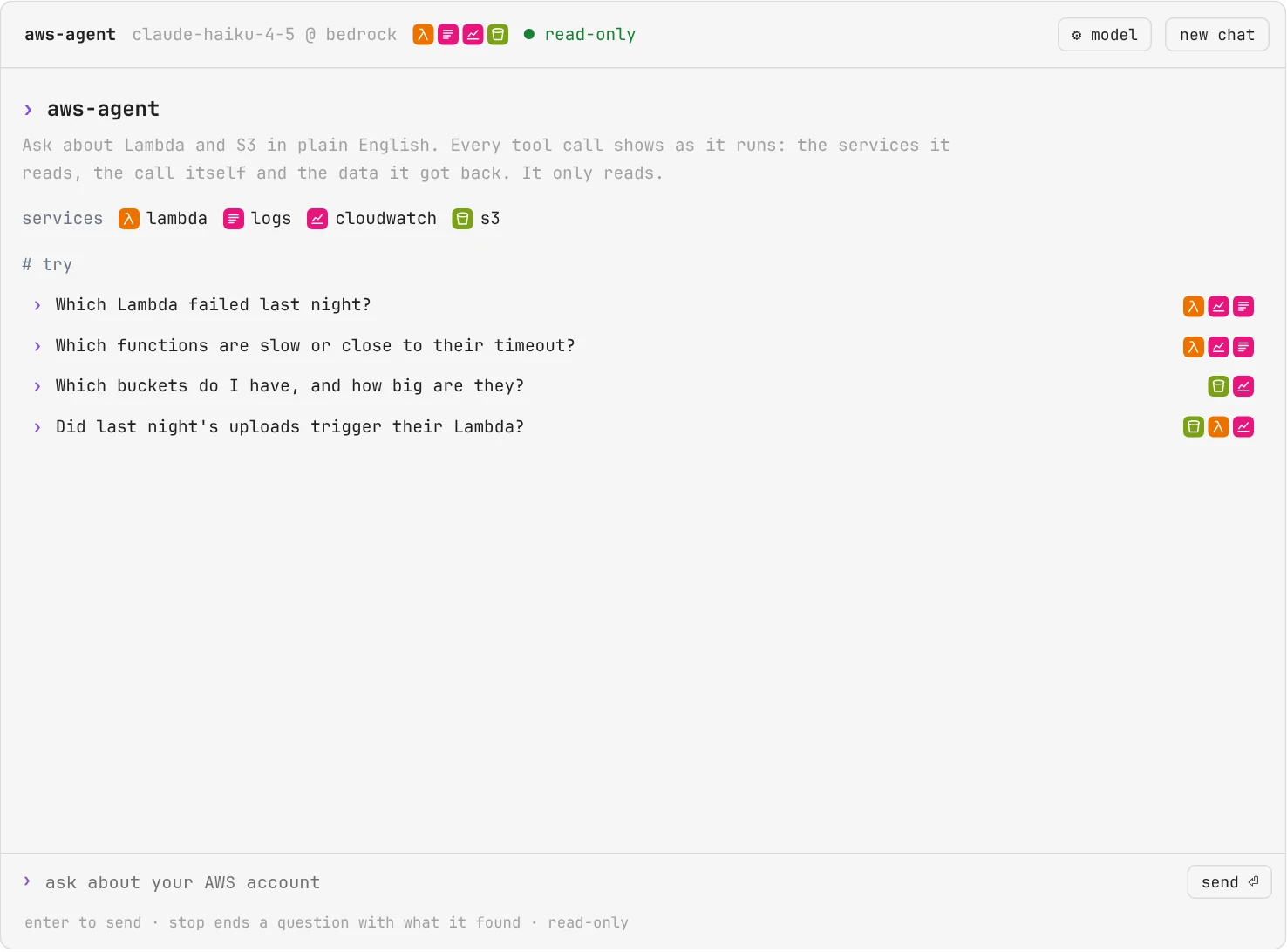
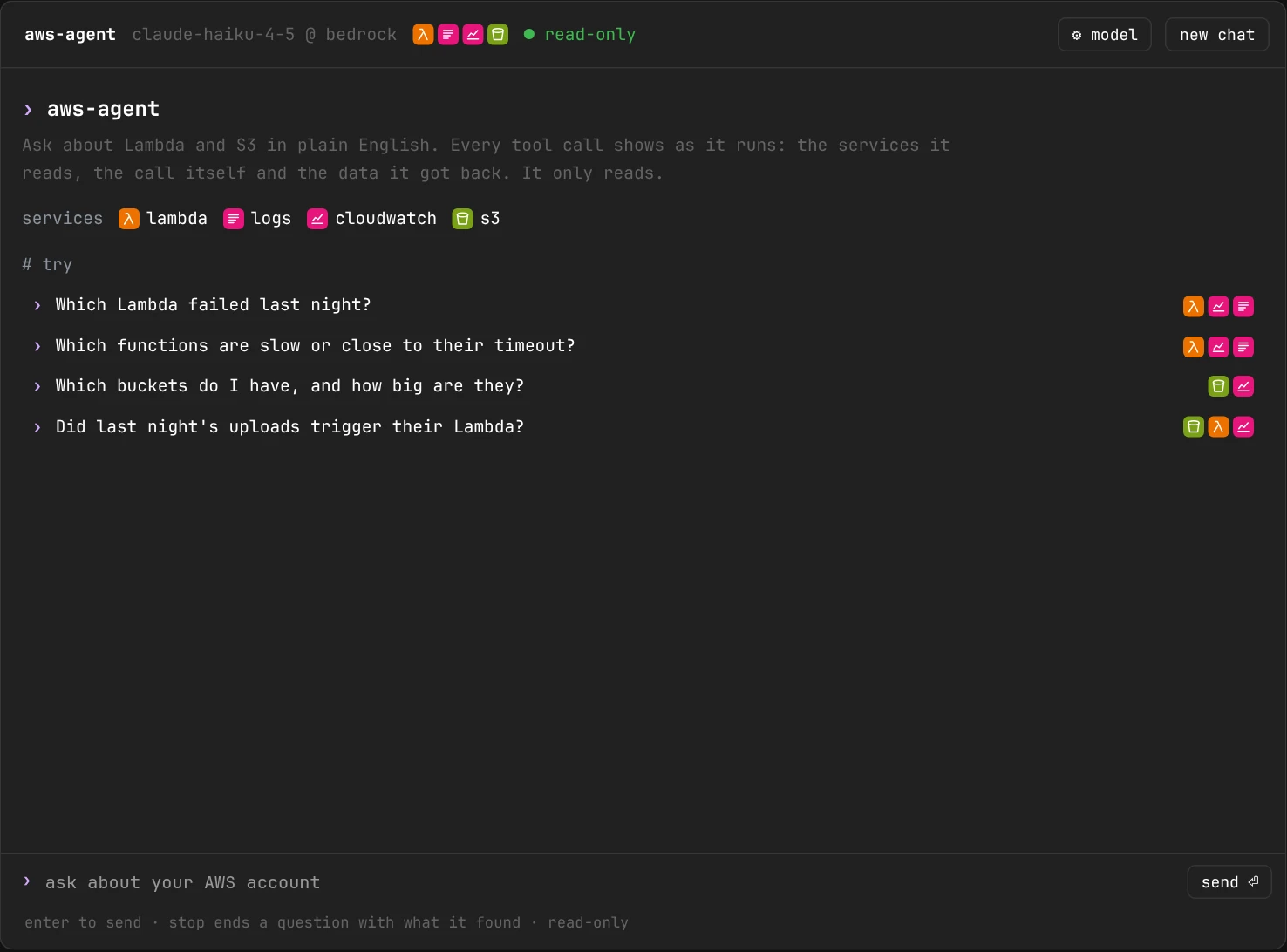
Start here: the badges show which AWS services the agent reads; every question to start from shows the ones it needs.
Pick the model in the window
⚙ model in the window's head opens its model settings: pick a provider, type or pick a model, and press use this model.
The list holds Amazon Bedrock, OpenAI, Azure OpenAI, Anthropic, Google Gemini and Ollama, then every other provider LangChain knows. With Bedrock picked, the model box suggests the models your region offers. The panel asks only for what that provider takes: a base URL or Azure endpoint, an API key, Azure's API version. Under them it says where your questions would go and how the tokens are priced.
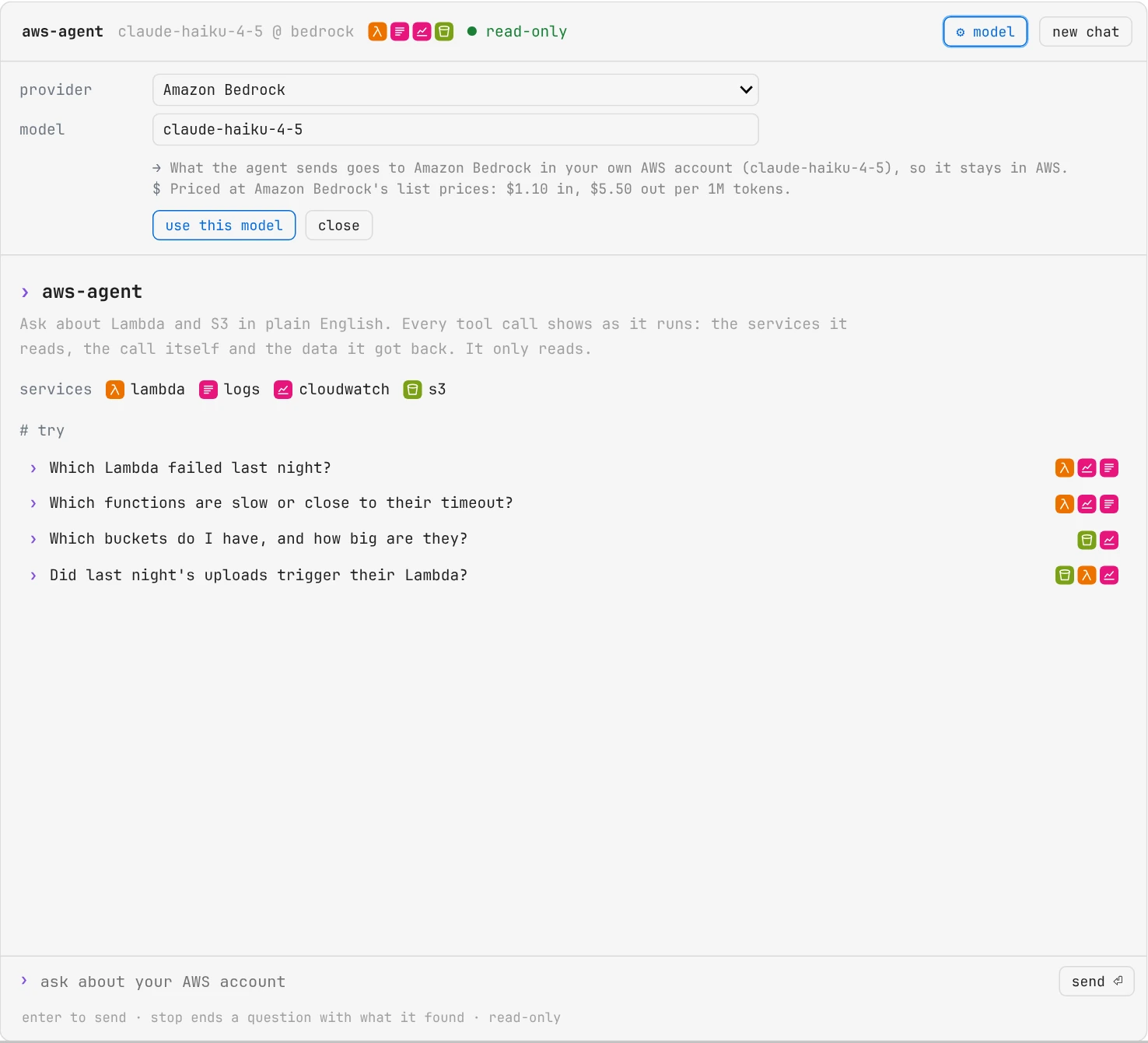
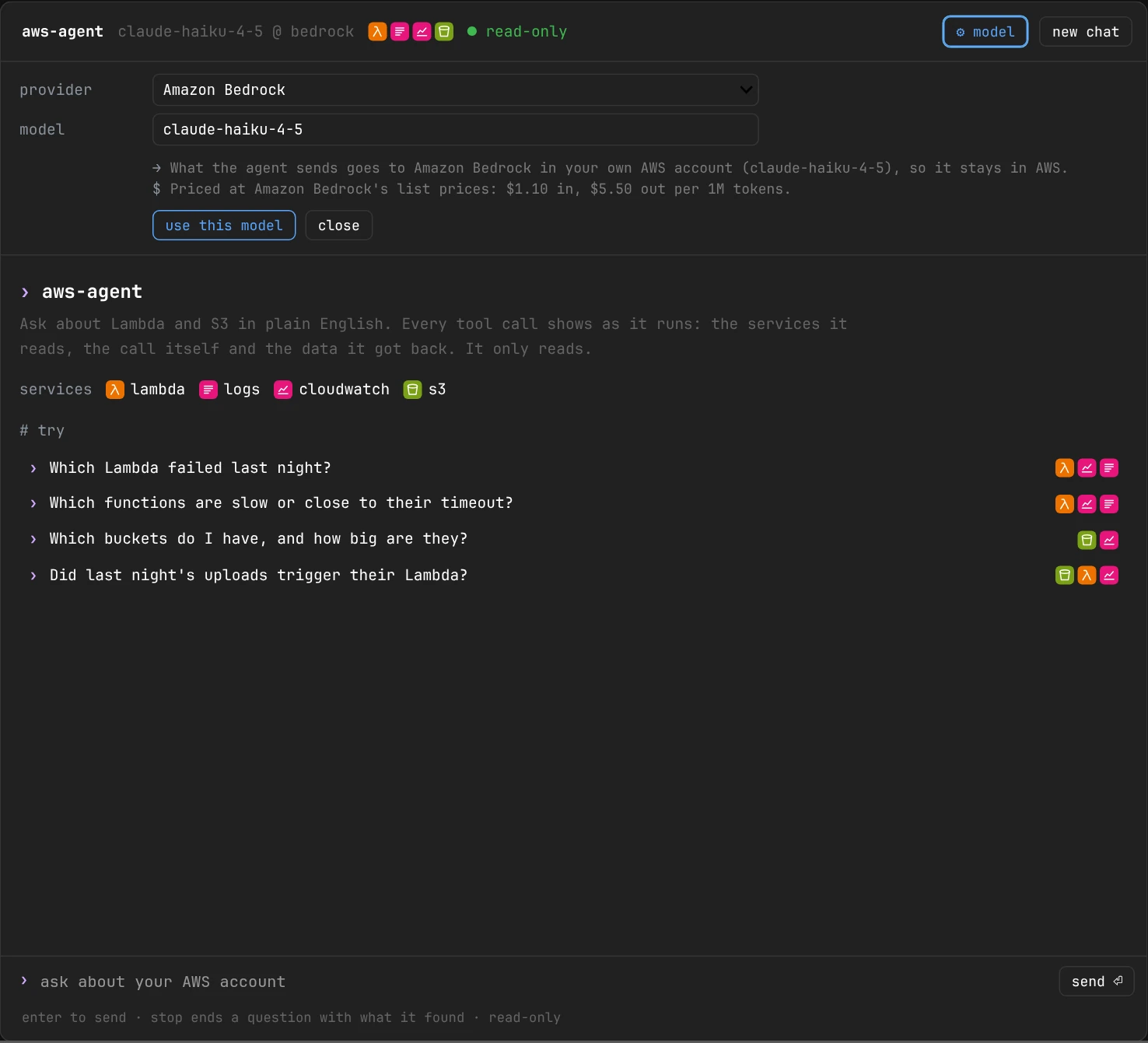
⚙ model: pick the provider and model; the panel asks only for what that provider takes, and says where your questions go.
Worth knowing
Leave the key empty to use the provider's environment variable (OPENAI_API_KEY, ...). A key you type is kept for the session only and never shown again. Switching starts a new conversation: the one above stays on screen. If the model can't be made (a key or package missing), the panel says why and the agent keeps the one it had. From a cell, agent.use_model("openai", "gpt-4.1") does the same.
Every call, with the services it reads
Each tool call shows as the code it is, with a badge for every AWS service it reads, so you can tell at a glance where the data came from:
- λ orange: AWS Lambda. The functions, their settings and code.
- ≡ pink: CloudWatch Logs. The log lines, run by run.
- ↗ pink: CloudWatch. The numbers: calls, errors, run times.
- Bucket, green: Amazon S3. Buckets, folders and files.
Point at a badge to see the service's full name. A comment beside the call says what it does in plain English, and the line under it (⎿) says what it found.
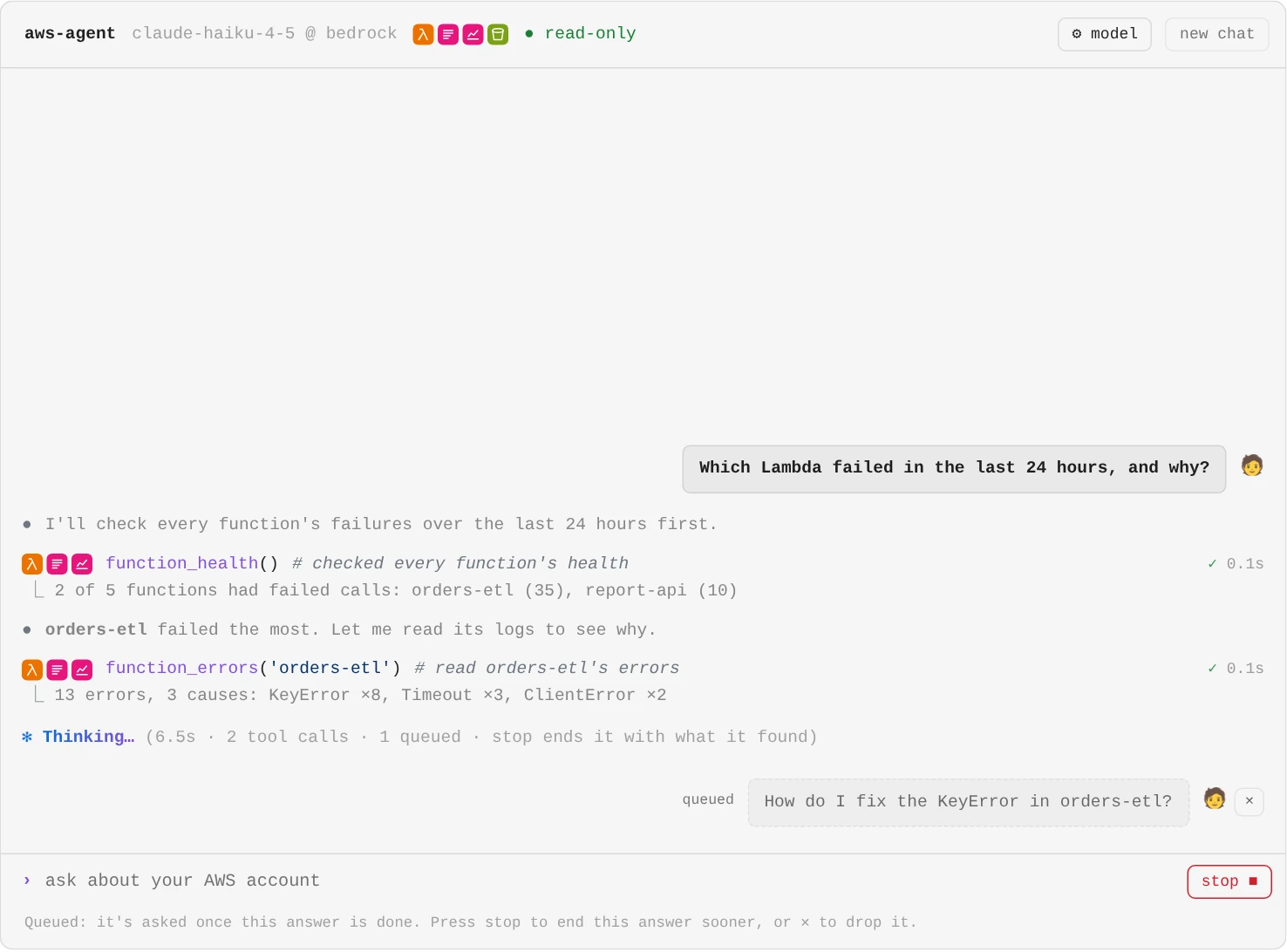
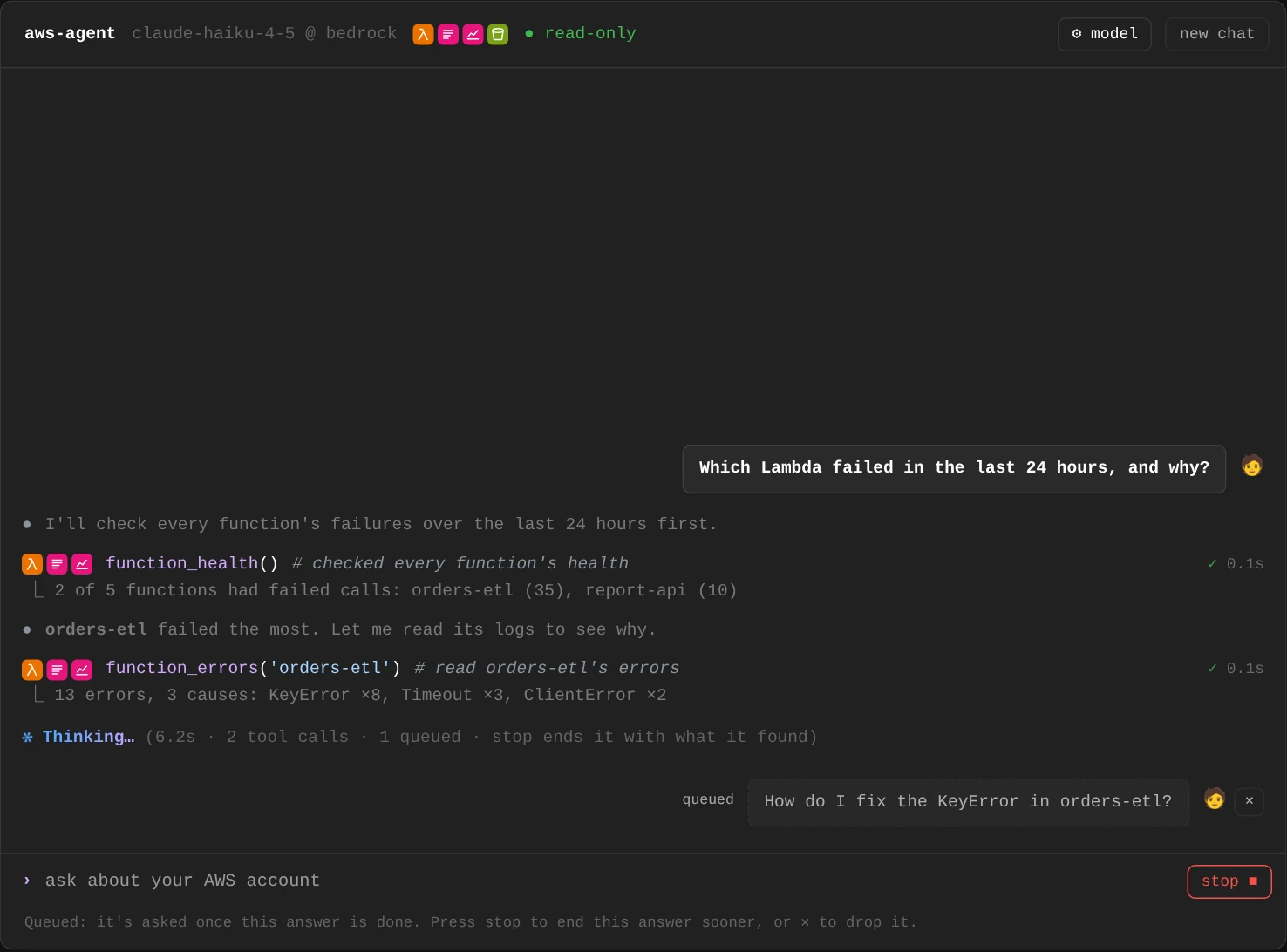
While it works: what the model says before it acts (●), each call with its services and what it found, a question you typed meanwhile waiting its turn, and stop to end it with what it found so far.
Once it has answered, the steps fold into one line (how many calls, how long, and the services they read) and the answer leads. Under it: anything you should know about how it was reached, who answered, what it took and cost, and details with every call, the AWS reads and how the cost was worked out.
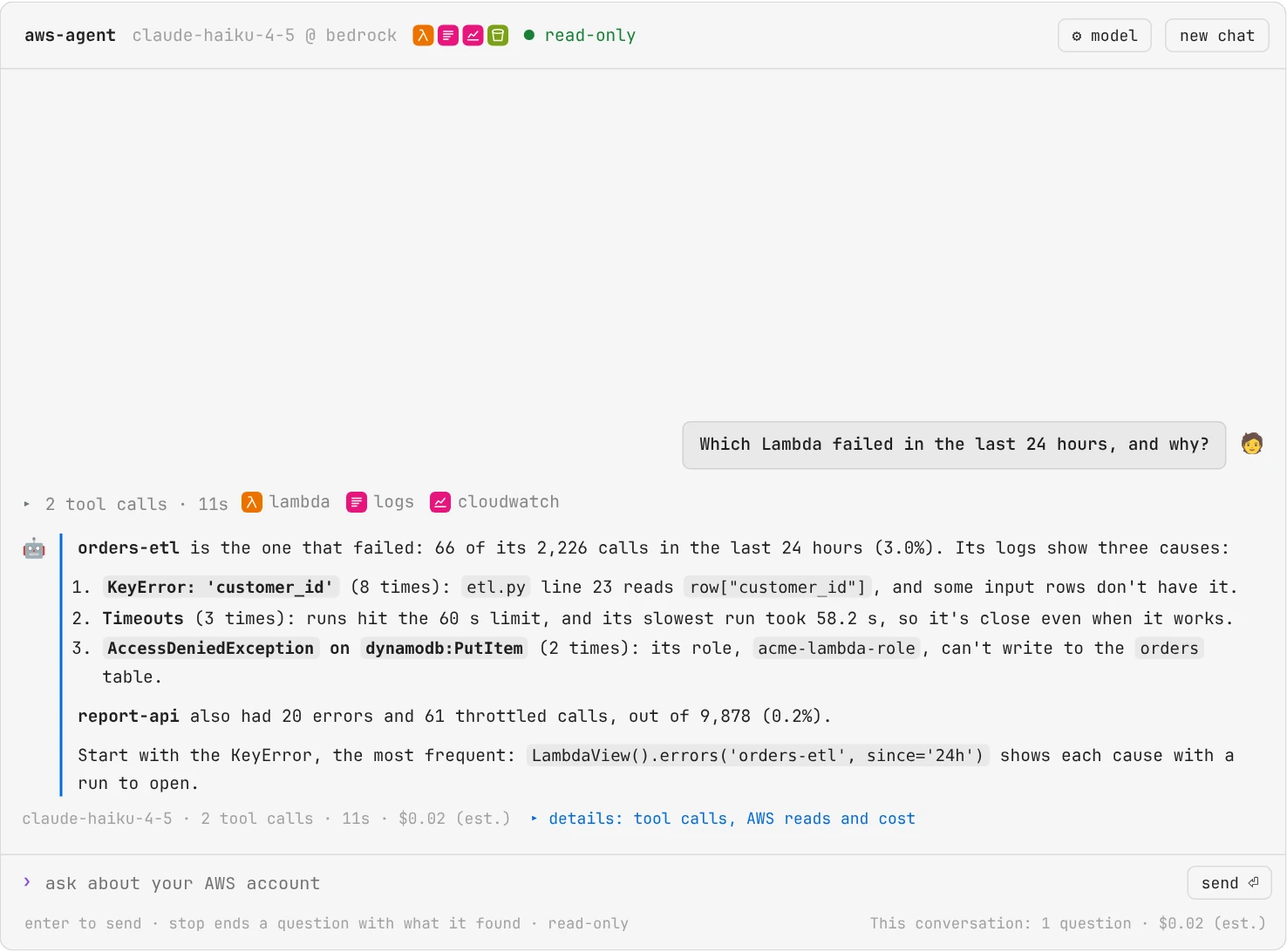
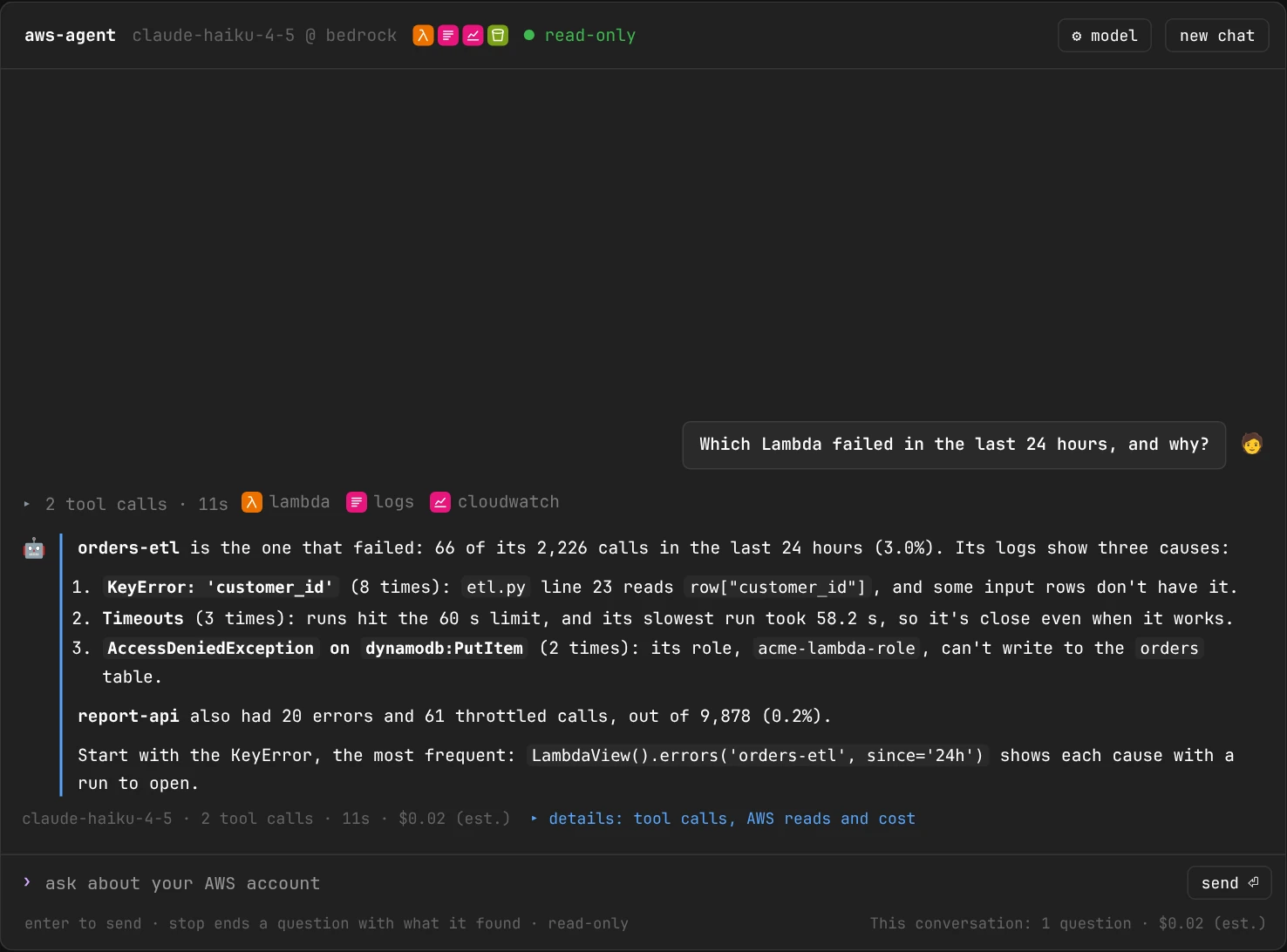
The answer first, with the steps folded above it into one line that names the services they read.
The data behind each step
Click the folded line to see the steps again, and click a call to see what's behind it: the AWS operations it used, the time window and regions it covered, the LambdaView or S3View calls that show the same as a full report, and the data the model read, the exact result the tool handed it, as JSON you can fold.
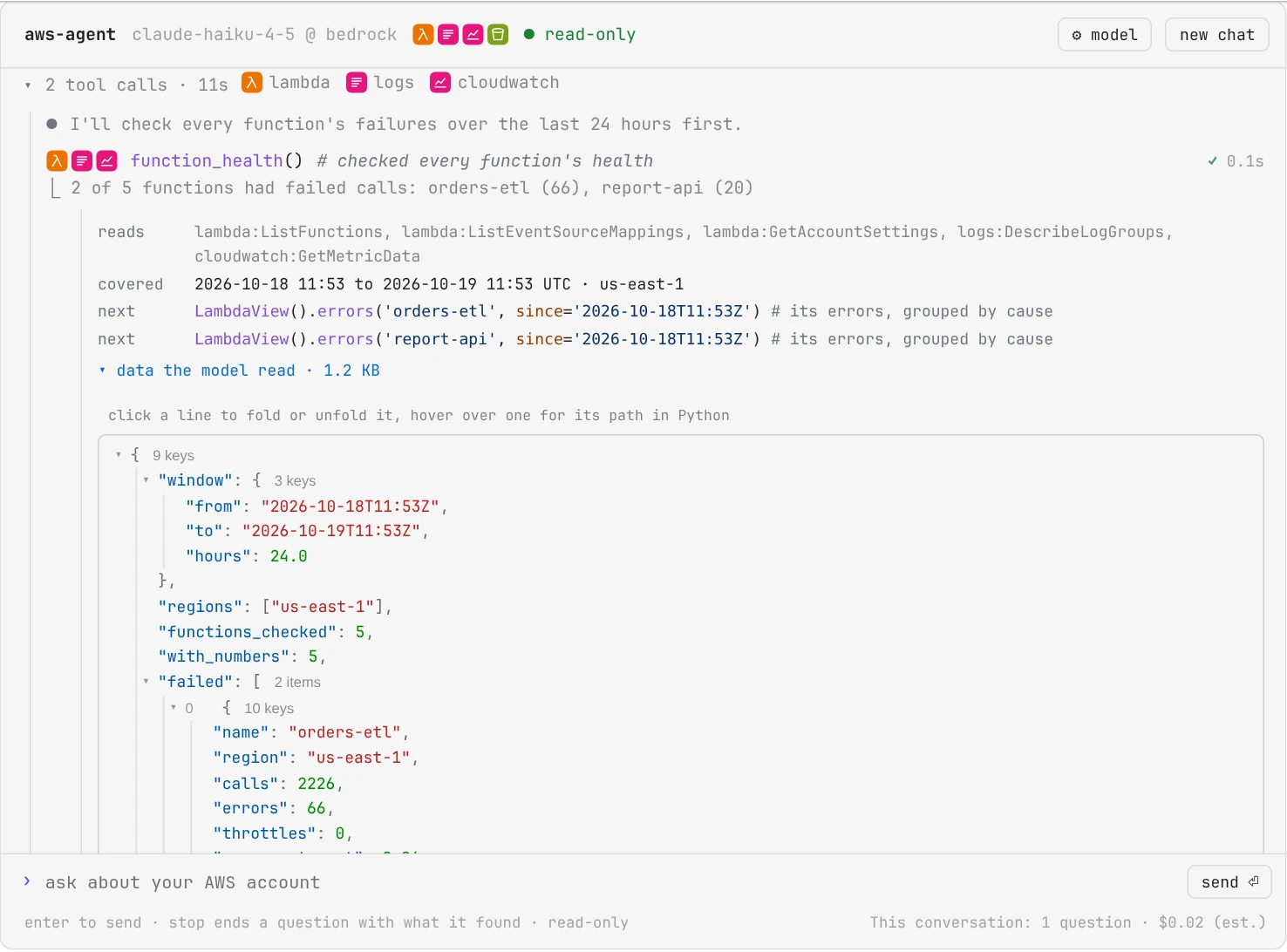
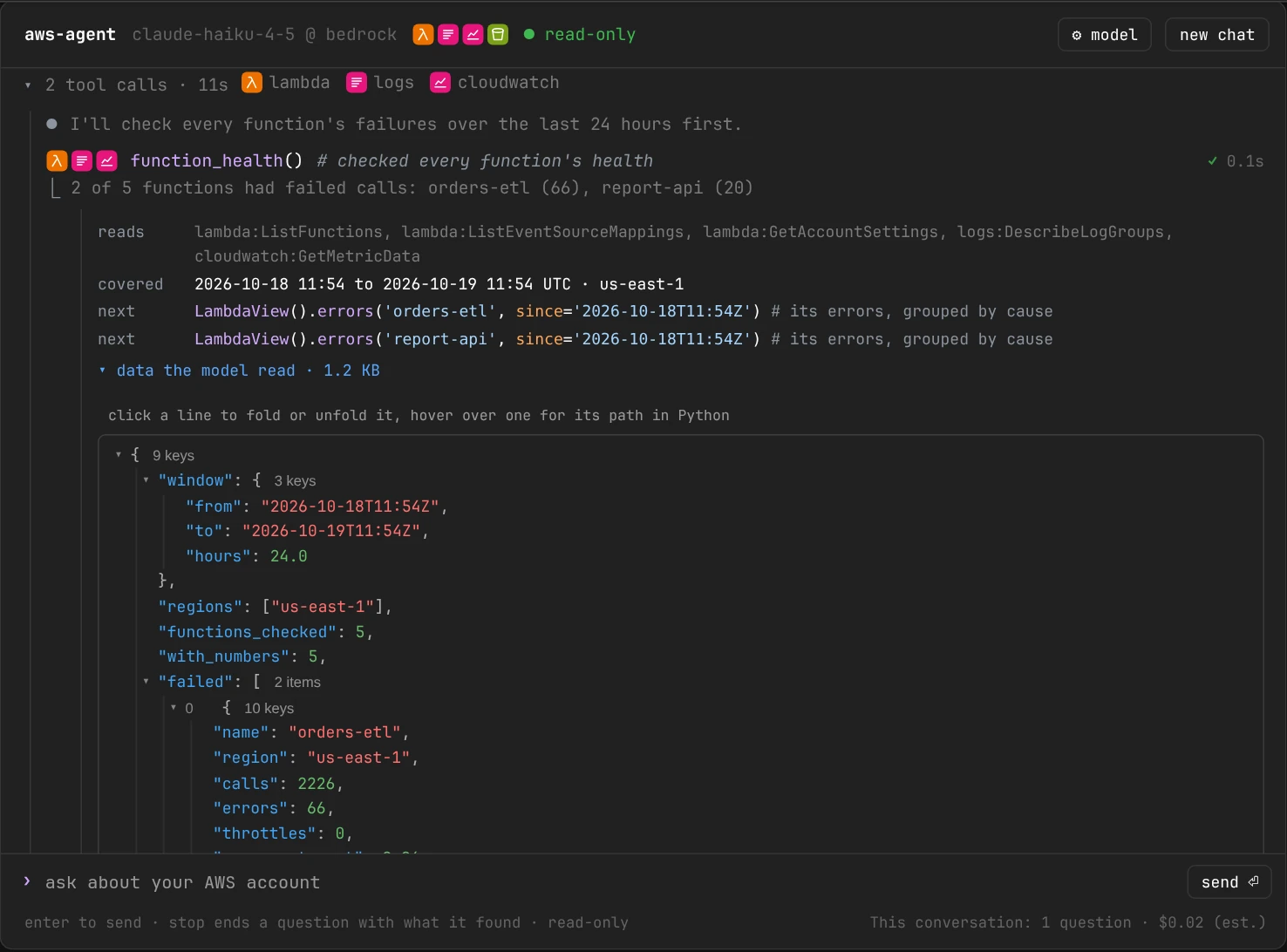
Check its work: each call opens to the operations it used, what it covered and the exact data the model read.
- Follow-ups continue the conversation. new chat starts over (
agent.transcript()still has every question). - stop (the send button, while it works) ends the question: the agent finishes the step it's on and answers with what it found.
- Ask the next question while it works: press Enter and it waits under the conversation, marked queued, and is asked as a follow-up once the answer before it is done. Questions you queue are asked in order; ✕ drops one, and stop ends the current answer so the next one starts sooner.
- Questions asked with
agent.ask()in other cells show up in the window too.
How it works
The question runs on a worker thread, so the window keeps answering clicks while the agent works. The agent hands each step to the window as it happens (AgentAnalyzer.ask(on_step=...), below), and the window draws it. Each step comes whole: the model's reply isn't streamed word by word, which on Amazon Bedrock would need another permission (bedrock:InvokeModelWithResponseStream). The window lives in the kernel, so reopening the notebook loses it: agent.transcript() shows the conversation as a report that stays. agent.chat(height=800) sets the conversation's height (pixels, or CSS such as '70vh'); it fills the browser window otherwise.
How it answers
The model picks which read-only tools to call. For "Which Lambda failed last night?" it usually:
- Turns "last night" into a window in your time zone (
set_timezone()'s; 18:00 yesterday to 08:00 today, unless you say otherwise) and converts it to UTC, which CloudWatch uses. Each question is sent with the time it was asked, in your time zone and in UTC. - Calls
function_healthfor that window: CloudWatch's counts for every function at once, in a few seconds. - Calls
function_errorsfor the functions that failed, which reads their logs and groups the errors by cause. - Answers, and ends with the window and regions it checked.
How it checks that uploads were processed
For "Were last night's uploads to acme-raw processed?" it calls s3_triggers for the bucket and the window. That reads the bucket's event notifications (which functions it invokes, on which events, for which keys), lists the files written in the window, checks that the function is there and that its resource policy lets the bucket invoke it, and reads the function's runs and failures from CloudWatch for the same window. The findings name what broke the link: files whose ending is .CSV when the filter says .csv (S3 compares case-sensitively), files uploaded in parts when the notification fires only on PUT uploads, a function that isn't there, a permission that's missing (with the aws lambda add-permission command), or no file arriving at all. Then function_errors reads why the runs that did happen failed.
Follow-ups continue the conversation, so "why did it fail?" knows what "it" is. new=True or agent.new_conversation() starts a fresh one. The kernel's stop button stops a question, and the report shows what it found until then.
What it can call
Fourteen read-only tools over Lambda and S3. Each returns a compact summary with what it covered, never raw AWS data.
agent.tools() lists them with the AWS reads each makes. agent.core.tools() returns the functions themselves, with type hints and docstrings, so another agent framework can use them too.
Every tool, and what it returns
They're building blocks over LambdaAnalyzer and S3Analyzer rather than one tool per question: they take a time window, a name glob, regions, a location or a search, so a few of them answer many questions.
Lambda
| Tool | What it returns |
|---|---|
find_functions(match, regions) |
The functions: runtime and whether AWS still supports it, memory, timeout, when each last changed |
function_health(since, until, match, regions) |
CloudWatch's counts for every function in a window, sorted into failed, throttled, near their timeout and not called |
function_errors(function, since, until, region) |
One function's errors from its logs, grouped by cause, with counts, an example line and request IDs |
function_logs(function, since, until, search, region) |
Its runs, newest first: status, run time, memory, cold start and last lines; search= finds a request ID, an order ID or an error |
function_performance(function, since, until, region) |
Median, p95, p99 and longest run against the timeout, timeouts, cold starts, and the memory it needs |
function_details(function, region) |
Settings, triggers, aliases, its last 30 days, log retention, the estimated monthly cost by part, and every finding |
function_code(function, region) |
What a Python function's code calls, read with ast and never run: AWS operations, environment variables by name, event fields |
S3, which never reads what's inside a file:
| Tool | What it returns |
|---|---|
find_buckets(match, sizes) |
The buckets and their regions; sizes=True adds each one's object count and size from CloudWatch, biggest first |
bucket_details(bucket) |
Public access, encryption, versioning, lifecycle rules in plain words, replication, logging, tags, its event notifications, size and monthly cost, and its findings |
list_folder(location) |
One level of a folder, like aws s3 ls: its subfolders, and its files newest first |
find_files(location, match, since, until, min_size, max_size, limit) |
The files under a location that match a name glob, a time window or a size: how many, how big, the newest |
folder_summary(location) |
What a location holds by file type, storage class and folder, the largest files, the monthly cost and findings |
file_info(location) |
One file's headers: size, type, storage class (Glacier needs a restore first), encryption (a KMS key means readers need kms:Decrypt), metadata and tags |
S3 and Lambda together:
| Tool | What it returns |
|---|---|
s3_triggers(bucket, function, since, until, region) |
Which bucket events invoke which functions, on which keys. Give a bucket, a function, or both. For each link: whether the function is there and lets the bucket invoke it, how many files its filter covers arrived in the window and how many of them ran it (and which were missed, by the case of their ending or by how they were uploaded), and the function's runs, failures and throttles in that window |
s3_triggers is there when the agent has both toolkits, as it does by default. From a function, it finds the buckets its resource policy names; when the policy lets any bucket invoke it (or none), it looks through the buckets in the function's region, up to 50.
Safe and bounded
It can't change your account, it says what it checked, and each question has a budget.
- It only reads. The tools call the analyzers' read methods. A guard on every AWS client they use refuses any operation that isn't a Get, List, Describe, Head or Filter call before its request is built, so even a mistake in a tool can't change your account. The S3 tools read names, sizes, dates and settings, never what's inside a file. There's no shell or code execution: deepagents'
executetool and its general-purpose subagent are turned off, and its file tools only keep notes in memory, never on disk. - It says what it checked. Every tool result carries its window, its regions and whether it was cut short, and the agent is told to say so in the answer. A permission the role lacks becomes part of the answer (
AccessDeniedException; needs logs:FilterLogEvents), not an error, and the report lists it. - Log lines are data. What the tools read can contain text that looks like instructions ("ignore your instructions..."). The agent is told never to follow it, and the tools hide anything that looks like a key, token or password before the model sees it.
The budget
Past a limit, the tools stop and the model answers with what it has; the report says what was cut short and how to raise the limit.
| Limit | Default | Past it |
|---|---|---|
tool_calls |
25 | Tools stop; it answers with what it has |
seconds |
300 | The same |
usd |
1.00 | The same, when model_prices= says what its tokens cost |
steps |
80 | The agent stops (LangGraph's recursion limit) |
log_days |
3 | A longer log read is refused; CloudWatch's counts still cover the window |
s3_keys |
100,000 | An S3 listing stops there and says so: its counts cover the keys it read |
agent = AgentView(budget={"tool_calls": 50, "log_days": 7})
Why log reads and S3 listings are limited
Log reads are limited because searching weeks of a busy function's logs is slow. For long windows the agent uses CloudWatch's counts, which cover months in seconds, and reads logs only for a short window around what it found. S3 listings are limited for the same reason: S3 lists 1,000 keys per request, in key order, so the agent is told to give find_files and folder_summary the narrowest prefix it can (a day's folder rather than the bucket).
That's the guide. Everything below is reference for when you need it: the data in Python and your own tools, cost, permissions, troubleshooting and every command.
Use the data in Python
agent.core is the AgentAnalyzer. Its ask() returns an AgentAnswer instead of a report:
answer = agent.core.ask("Which Lambda failed last night?")
answer.text                    # the answer, in markdown
answer.calls                   # ToolCall: name, args, coverage, summary, error, refused, seconds
answer.calls[0].services       # ('lambda', 'logs', 'cloudwatch'): the AWS services it reads (.reads: its operations)
answer.calls[0].result         # the data the tool handed the model
answer.aws_calls               # {'logs:FilterLogEvents': 12, ...}: every AWS call it made, all reads
answer.provider, answer.model # who served it, and the model or profile that answered
answer.input_tokens, answer.output_tokens, answer.cost   # answer.rates: whose prices the cost is at
answer.stopped                 # None, or why it stopped early: 'tool_calls', 'time', 'cost', 'steps', 'stopped', 'error'
answer.error                   # what went wrong with the model, and what to do
agent.core.history             # every AgentAnswer so far
To show the agent's work as it happens in a UI of your own, as the chat window does, pass on_step. It's told each AgentStep: the model's words before it acts (kind='thinking', .text), and each tool call as it starts ('tool') and ends ('tool_done', with .call.summary, .call.error or .call.refused filled in). Tools run side by side, so it's called from their threads:
agent.core.ask("Which Lambda failed last night?", on_step=lambda step: print(step.kind, step.text or step.call.call))
Settings, all optional:
from aws_analyzer import AgentAnalyzer, AgentView

core = AgentAnalyzer(
    provider="bedrock", model="sonnet",              # or model="openai:gpt-4.1", deployment=..., ...
    model_prices={"claude-sonnet-5": (2.00, 10.00)}, # USD per 1M input and output tokens, over the list prices
    timezone="Asia/Kolkata",                         # for the agent alone; set_timezone() sets it everywhere
    regions=["us-east-1", "eu-west-1"],              # where it looks unless asked otherwise; "all" for every region
    notes="orders-etl runs at 02:00 IST and loads the day's orders",   # facts it's told about your account
    budget={"tool_calls": 25, "log_days": 3, "s3_keys": 100_000},
    toolkits=["lambda", "s3"],                       # the default; ["s3"] for S3 alone
)
agent = AgentView(core)
chat_model= takes any LangChain chat model instead, made with your own settings. lambda_core= and s3_core= take a LambdaAnalyzer and an S3Analyzer of your own (with their own prices=). The pure functions work without AWS or a model: hide_secrets, asked_at, system_prompt, summarize_health, summarize_errors, summarize_runs, summarize_performance, summarize_detail, summarize_code, the S3 toolkit's summarize_bucket, summarize_found, summarize_prefix, summarize_file, count_arrivals (from a listing: which files a notification's filter and event types covered or missed) and trigger_findings, answer_findings, pick_provider, model_rates and explain_model_error.
Your own tools
The agent's tools come in toolkits, one per AWS service: toolkits=["lambda", "s3"] is the default. A toolkit of your own adds tools beside them. Give it a name, a sentence for the model on what it covers, and tools(): plain functions whose type hints and docstrings tell the model how to call them, each returning a dict.
from aws_analyzer.agent import AgentView, Toolkit

class Runbooks(Toolkit):
    """What the team's runbooks say to do when a function fails."""

    name, title = "runbooks", "Runbooks"
    covers = "the team's runbooks: what to do when a Lambda function fails."

    def make_analyzer(self, session):  # what its tools read through: here a dict, usually an analyzer
        return {"orders-etl": "Re-run it for the day that failed; page #data-oncall if it fails twice."}

    def tools(self):
        def runbook(function: str) -> dict:
            """What the team's runbook says to do when this Lambda function fails."""
            return {"function": function, "steps": self.analyzer.get(function, "There's no runbook for it.")}

        return [runbook]

agent = AgentView(toolkits=["lambda", "s3", Runbooks()])
agent.ask("orders-etl failed last night: what should I do?")
Its tools get the same budget, error handling and report as the built-in ones, and tools() lists them. When it reads AWS, make its clients in the analyzer make_analyzer() returns, from the session it's given: the read-only guard covers every client that analyzer makes from its session, and the clients it already holds. A tool that joins your service to another reads that one through the agent's own toolkit for it, self.peer("lambda"), which is None when the agent hasn't got it.
Cost
Each answer counts the model's input and output tokens. A model on Amazon Bedrock is priced at Bedrock's list prices, so each answer shows its estimated cost and the budget's usd limit applies. OpenAI's and Azure OpenAI's prices depend on the plan, the region and the deployment type, so there are none built in: pass model_prices= for them (or to override Bedrock's). Without a price the cost shows as unknown, never a guess.
On the AWS side, the CloudWatch metrics it reads cost $0.01 per 1,000, and S3's requests $0.005 per 1,000 listing pages (each lists up to 1,000 keys) and $0.0004 per 1,000 others; the report says how many of each it made and what they cost. Reading logs, Lambda's settings and code costs nothing. function_health reads 7 metrics per function, so a question about 100 functions reads about 700: under a cent. A find_files over 100,000 keys makes 100 listing requests: $0.0005.
Permissions
The Lambda tools read through LambdaAnalyzer, so the role needs the Lambda guide's read-only policy. The S3 tools read through S3Analyzer, so they need the S3 guide's read-only policy (with s3:GetBucketNotification, which bucket_details and s3_triggers read the bucket's event notifications with). s3_triggers needs both. Nothing more, and no permission to change anything. With a model on Amazon Bedrock, add bedrock:InvokeModel on the model and its inference profile (the Converse API, which only generates text), and bedrock:ListFoundationModels and bedrock:ListInferenceProfiles to find a model by a short name like "sonnet". A permission that's missing shows up in the answer as what couldn't be read, and the rest of the answer still stands.
On the Azure side, an API key of the Azure OpenAI resource, or a Microsoft Entra ID identity with the Cognitive Services OpenAI User role on it.
Troubleshooting
“The agent needs Python 3.11 or newer”
deepagents needs Python 3.11. On SageMaker, pick a kernel with Python 3.11 or newer, or make one with the SageMaker guide's new_env("3.11"), then %pip install "aws-analyzer[agent]" in it.
“The agent needs a model to answer with, and none is set up”
Nothing says which model to use. Pick one: AgentView(provider="bedrock"), AgentView(model="openai:gpt-4.1") with OPENAI_API_KEY set, or the Azure settings below. AWS_ANALYZER_AGENT_MODEL sets one for every notebook.
“… AZURE_OPENAI_ENDPOINT … are not set”
The agent doesn't know which deployment to ask. Set AZURE_OPENAI_ENDPOINT, AZURE_OPENAI_API_KEY and AZURE_OPENAI_DEPLOYMENT in the notebook's environment, or pass them to AgentView.
“ValidationException … on-demand throughput isn't supported”
That Bedrock model is served only through an inference profile. Put us. (or eu., apac., global.) before its ID, or pass its short name, AgentView(provider="bedrock", model="haiku"), and the agent finds the profile.
“AccessDeniedException” from Bedrock
The notebook's role needs bedrock:InvokeModel on the model and on its inference profile, and the account needs access to the model: the Bedrock console's Model catalog shows it.
“NotFoundError … No such deployment on this endpoint”
AZURE_OPENAI_DEPLOYMENT is the name you gave the deployment in Azure AI Foundry, which can differ from the model's name. An old api_version can also give a 404.
“Azure's content filter blocked the prompt or the answer”
Log lines can set off Azure's content filter. Ask about a narrower window, or adjust the deployment's content filter.
s3_triggers says the function doesn't let the bucket invoke it
S3 can only invoke a function whose resource-based policy allows s3.amazonaws.com for that bucket. The finding gives the aws lambda add-permission ... command to run; the agent never runs it. If the permission is there and the finding still says so, the role may lack lambda:GetPolicy: the answer then lists it under what couldn't be read.
It answered, but says it was stopped at the budget
The question needed more tool calls, time or log days than the budget allows. Ask a narrower question (one function, a shorter window), or raise the limit it names: AgentView(budget={"tool_calls": 50}).
Command reference
| Command | What it shows |
|---|---|
chat(height=None) |
A chat window: ask, and watch each step as it happens (what the model says, each tool call running and then what it found), then the answer with Details (each tool call, the AWS reads, the cost) folded under it. Stop ends a question with what it found; a question typed while it works is queued and asked next; New chat starts over; ⚙ model picks the model |
ask(question, new=False) |
The answer first, then what it checked: each tool call with its window, regions and what it found, what it couldn't read or was refused, the AWS reads, tokens and cost, and the LambdaView and S3View commands to look closer |
new_conversation() |
Starts a new conversation: the next question won't see the earlier ones |
transcript() |
Every question asked so far and its answer, with the tool calls, tokens and cost of each, and the total |
tools() |
Each tool and the AWS reads it makes; the model, regions, time zone and budget; and what's sent to the model |
use_model(provider=None, model=None, ...) |
Switches the model the agent answers with, and says where what it sends goes; the window's ⚙ model does it by clicking |
help(command=None) |
This list, grouped by task; help("name") shows one command in full |