 aws-analyzer · bedrock_chat.py
Chat with a Bedrock knowledge base, and see exactly what's sent
One install and one call, chat(), open a chat window in your notebook. Pick the knowledge base and the model, ask questions, and change what's sent (passages, search type, filter, reranker, temperature, prompt, or any other field of the API) while you watch the request it makes, as JSON you can edit. Switch to Retrieve only to see just the search behind an answer. Then ask a whole list of test questions with the setup you've built, or with every combination of the settings you're unsure of at once, see which setup does best, keep every run in a file that outlasts a restart, and copy the setup as a Python script, JSON or an AWS CLI command.
- One install, boto3 + ipywidgets
- Every RetrieveAndGenerate field
- Answers stream as they're written
- Retrieval and answer, checked apart
- A list of test questions, compared run to run
- Every combination of settings, ranked
- Test runs kept in a file
- The setup as Python, JSON or the AWS CLI
- Read-only: changes no knowledge base
The examples use a knowledge base called support-docs holding support policies, some tagged with a team and a year. Use your own names. The screenshots are the real window in JupyterLab, run against a simulated Bedrock with synthetic documents, so the answers and times are illustrative. For checking a knowledge base's health, its syncs, and what a search retrieves, see the Knowledge Bases guide.
Set up in SageMaker
-
Install the package, in a notebook cell (
[notebook]adds ipywidgets for the window, which SageMaker already has):%pip install "aws-analyzer[notebook]"No internet in the notebook (VPC-only mode)? On a computer that has internet, download the package and copy it to a bucket the notebook can read (
pip download aws-analyzer --no-deps -d wheels, thenaws s3 cp --recursive wheels/ s3://acme-ml-data/tools/wheels/), and install it from there:!aws s3 cp --recursive s3://acme-ml-data/tools/wheels/ wheels/ %pip install --no-index --find-links wheels aws-analyzer -
Open the window. It uses the notebook's IAM execution role and region, so there's nothing to configure.
from aws_analyzer import chat chat() # pick the knowledge base and the model in the window chat("support-docs", model="sonnet") # or start on these: a name, ID or ARN; a model ID or short name chat("support-docs", data_source="faq") # ask only one of its data sources (a name or ID) chat("support-docs", files=["refund-policy.pdf", "faq/returns.md"]) # or only these files chat("support-docs", n=8, temperature=0.2, search_type="hybrid", where={"team": "billing"}) chat("support-docs", retrieve_only=True) # questions only search: every passage found, no answer chat("support-docs", questions=["How long do refunds take? | refund-policy.pdf", "Can I return a gift?"]) -
Optional: another region or AWS profile, a fixed height, or keep the view to use from other cells.
chat("support-docs", height=800)   # an 800px conversation (else the window fills the browser's height)
ui = chat("support-docs", region="us-west-2", profile="dev")
ui.set(max_tokens=1024)      # the open window follows
ui.transcript()              # the conversation as a report that stays in the saved notebook
boto3 and ipywidgets. Both are preinstalled on SageMaker (Studio and notebook instances). Without ipywidgets, or outside Jupyter, chat() says so and every other command still works as a report: ask(), settings(), request() and the rest. Answers come from Bedrock itself, so no model SDK is needed.
The chat window
Type a question and press Enter. The answer appears as it's written, then settles into its final form: the text with each cited span shaded and numbered, who answered and how long it took (and how long until the first words), how many sources it cites, how much of it they back up, and an estimated cost. Answers written in markdown are laid out as such: headings, bullet and numbered lists, bold and italic, tables, code blocks and links, with the cited spans still shaded inside them.
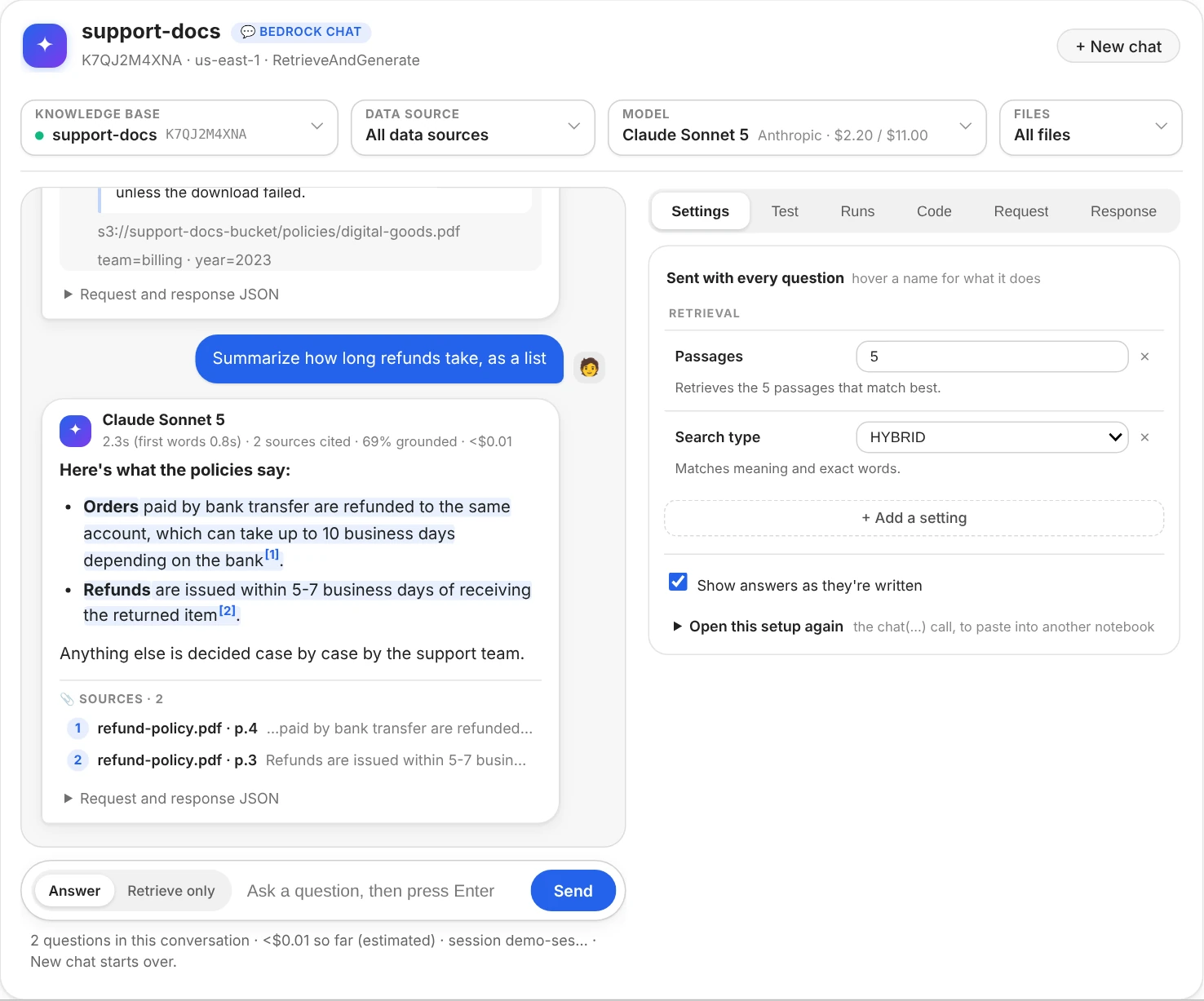
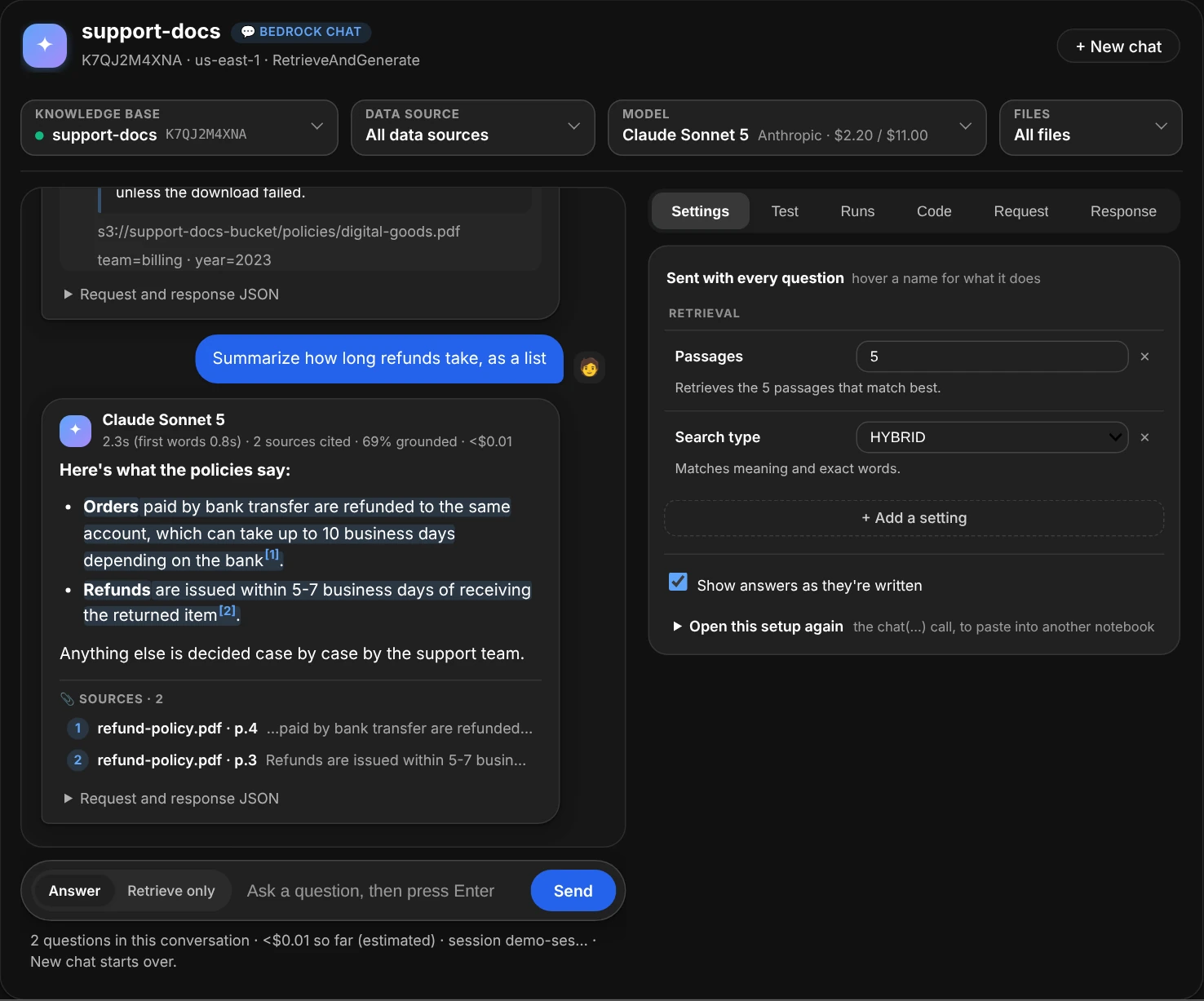
Two questions about refunds, in the same Bedrock session. The second asks for a list, and the answer's markdown is laid out: bullets, bold, and a citation after each cited span.
- Markdown. Lists, tables and code in an answer show as lists, tables and code. Everything in it is shown as text, never run as HTML (answers can quote your documents), and links open only web pages and email addresses.
- Sources. Each answer lists the passages it cites. Click one to read it in full, with the question's words highlighted, its S3 location and its metadata.
- Request and response JSON, folded under each answer: exactly what that question sent and what came back, so you can compare answers asked with different settings.
- Findings appear under an answer when something's off, and say which setting to try: Bedrock's “unable to assist” reply (retrieve more passages, try HYBRID search, or loosen the filter), an answer that cites nothing, one mostly not backed by its sources, a guardrail that stepped in, or an answer cut off by
max_tokens. - Follow-ups keep the conversation: Bedrock remembers the earlier questions. New chat starts over, and so does picking another knowledge base. Another model, data source or set of files keeps the conversation.
- Answer / Retrieve only, beside the question box, picks what a question does: get an answer, or only search.
- The line under the box counts the questions and the estimated cost so far. An error shows where the answer would have been, says what to do, and puts your question back in the box.
Knowledge base, model, data source and files
The fields across the top say what the next question asks: which knowledge base, through which model, and (when you narrow it) which data source and files. Click one to open its list. A search box sits over the list and finds what you type anywhere in a line, in any case, best match first, with the match highlighted: a name, part of an ID, a word of a description, a provider. Click a line to pick it, or press Enter to pick the first. Click anywhere else in the window, the field again or ✕ to close the list.
- Knowledge base lists every knowledge base in the region: its name and ID, a dot for its status (green when active, red when failed), its description and when it last changed. Search by name or ID (
K7QJfindsK7QJ2M4XNA), or paste a whole ID or ARN and press Enter: one the list doesn't hold (made since the window opened, or the role can't list them) still works that way. Another knowledge base starts a new conversation.ui.kbs("K7QJ")finds the same ones as a report. - Model starts on Claude Haiku 4.5 (
bedrock_chat.DEFAULT_MODEL) unless you passmodel=, and lists the text models you can call here, with the ID to pass asmodel=(the inference profile, when a model needs one), its provider and its price per 1M tokens. Search by name, provider or ID; Enter also takes a short name such assonnet. Another model keeps the conversation. It's greyed out on Retrieve only, which uses no model. - Data source appears when the knowledge base has more than one (an S3 bucket of policies, a crawled help site): pick one and the next questions search only that one, until you pick another or All data sources. It's sent as a filter on the data source ID Bedrock gives every chunk, so it needs no metadata files and works together with the
filtersetting. The conversation goes on. - Files lists the files the knowledge base has indexed (from its S3 and custom data sources), the first time you open it. A click ticks a file, and the list stays open so you can tick more; a second click unticks it. Enter ticks the only file the search finds, and a full
s3://path works too. The next questions search only the files ticked, shown as chips on a line under the fields: click a chip to drop that file, or All files to search every file again. It's a filter on the file path Bedrock gives every chunk, so it works together with the data source and thefiltersetting.ui.files()lists the same files as a report, with failed ones marked.
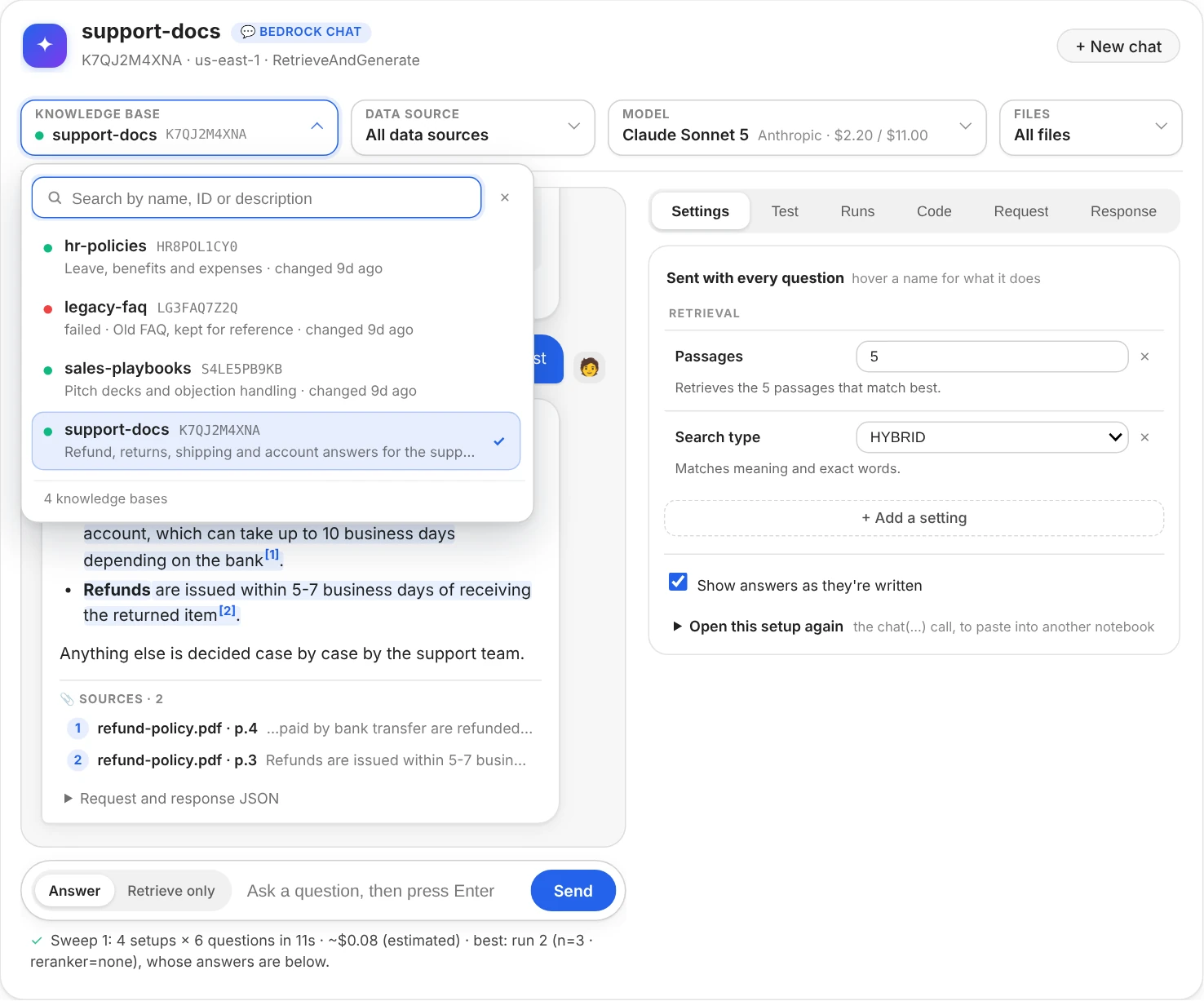
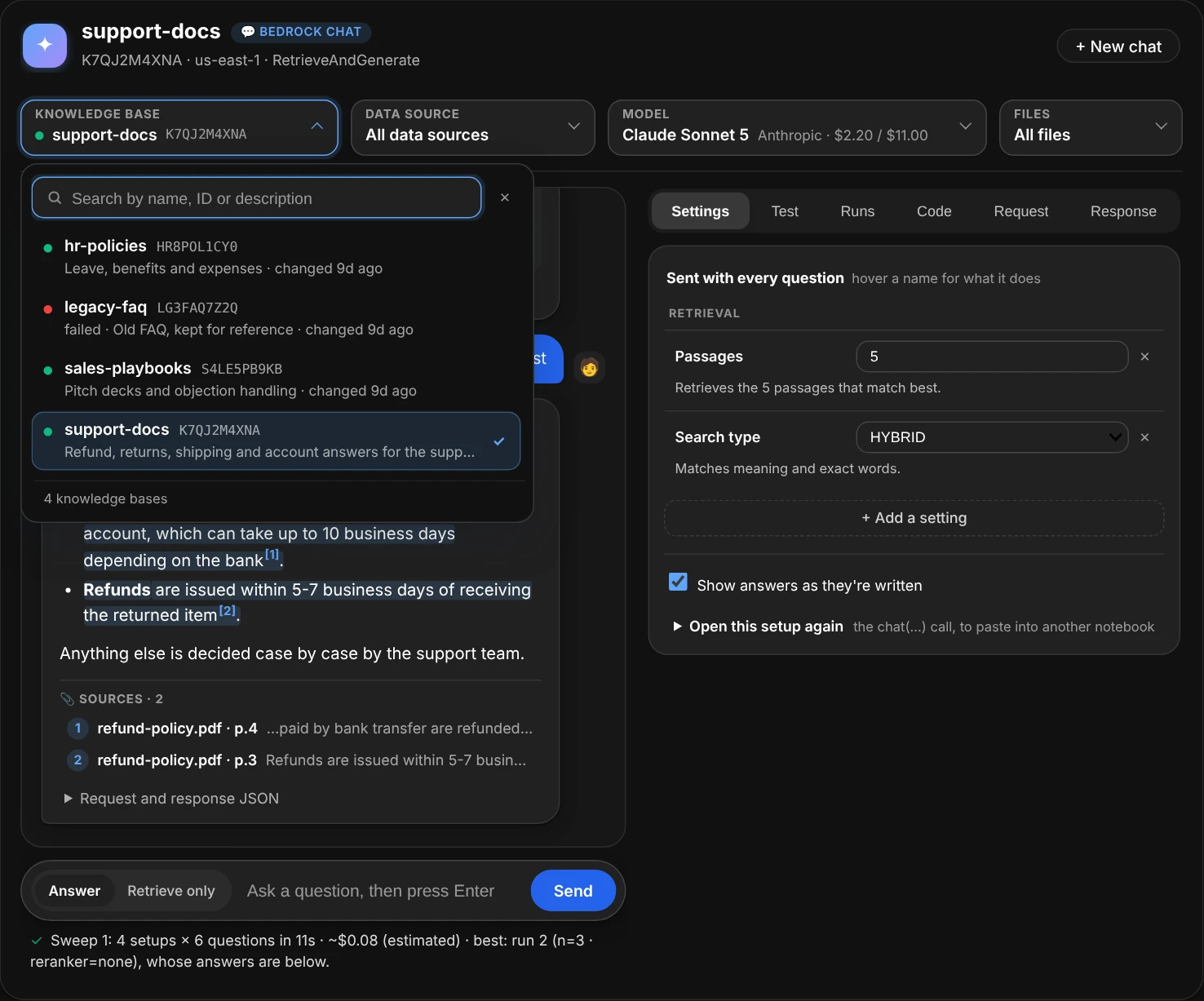
The knowledge base list, open. Type part of a name or an ID to narrow it; Enter picks the first.
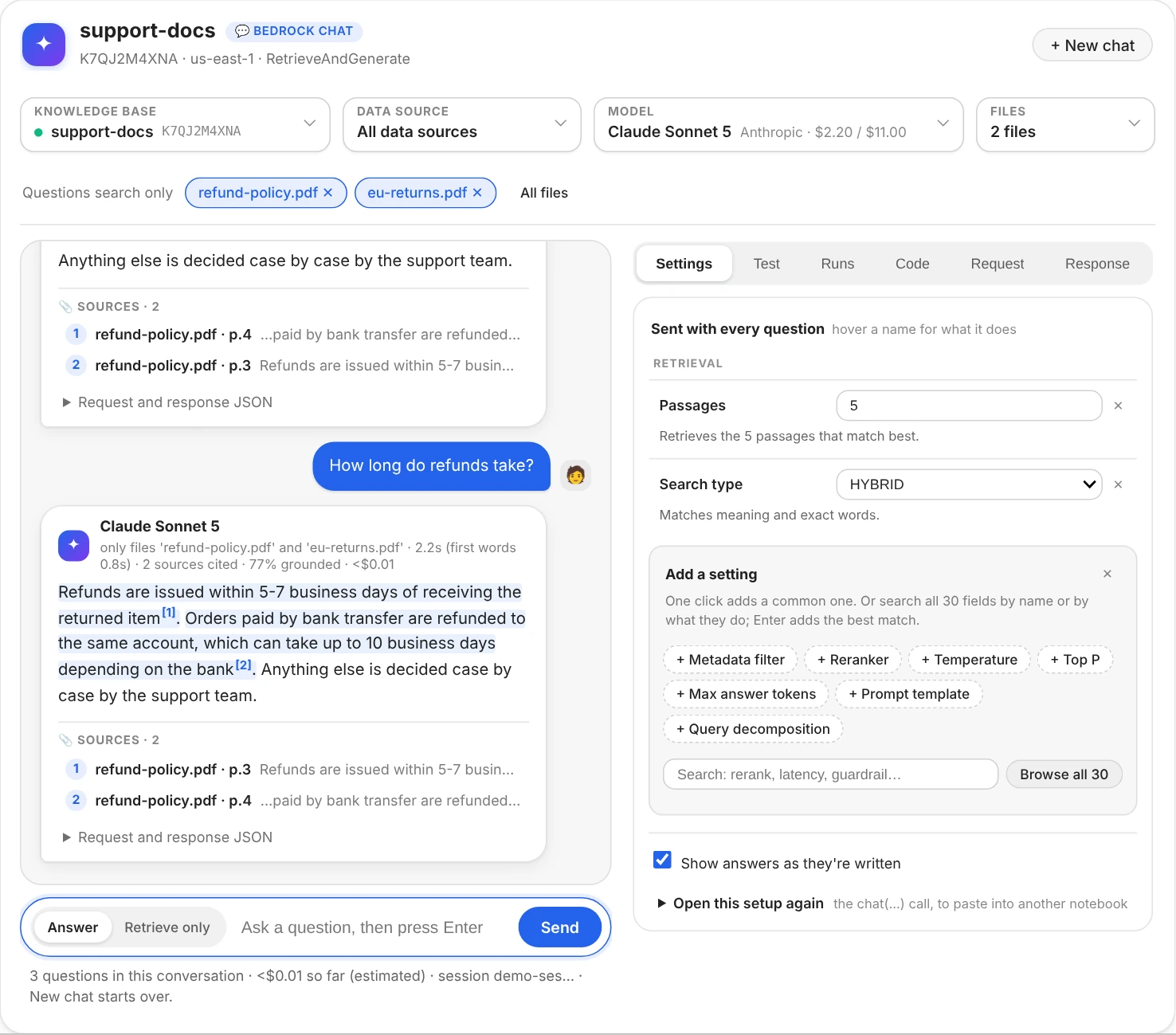
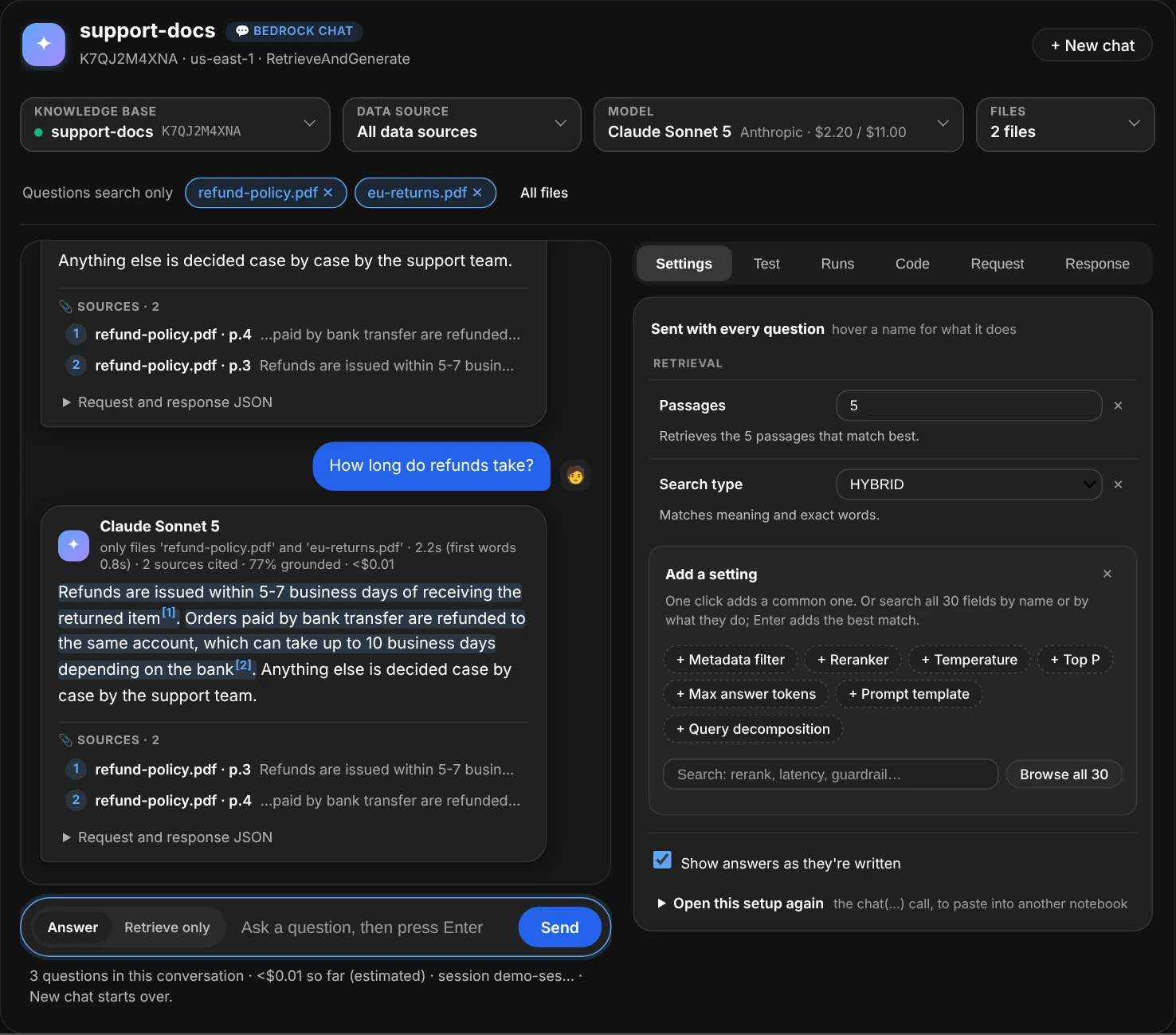
Two files ticked: the next answers come only from them, and the conversation goes on.
Retrieve only: the search without the answer
An answer is two steps: Bedrock searches the knowledge base, then the model writes from the passages it found. When an answer is wrong or Bedrock says it's “unable to assist”, either step can be the cause. Switch Answer to Retrieve only, beside the question box, and the next questions only search: the same search an answer makes (Retrieve instead of RetrieveAndGenerate, with the same passages, search type, filter, reranker, data source and files), and no model.
![The chat window on Retrieve only: after an answer about refund times, the same question searched again; the search lists five passages, best first, each with its file and page, its score with a bar against the best one, and the start of its text with the question's words highlighted; the two the answer cited are tagged cited [1] and cited [2], and a note under them says the answer cites 2 of the 5 passages the search found; under the conversation, the question box with Answer and Retrieve only beside it and a Retrieve button; on the right, Temperature dimmed under Generation, not sent with Retrieve only](images/chat-retrieve-light.webp#only-light)
![The chat window on Retrieve only: after an answer about refund times, the same question searched again; the search lists five passages, best first, each with its file and page, its score with a bar against the best one, and the start of its text with the question's words highlighted; the two the answer cited are tagged cited [1] and cited [2], and a note under them says the answer cites 2 of the 5 passages the search found; under the conversation, the question box with Answer and Retrieve only beside it and a Retrieve button; on the right, Temperature dimmed under Generation, not sent with Retrieve only](images/chat-retrieve-dark.webp#only-dark)
The same question asked both ways: the search found five passages, and the answer used the top two.
- Every passage, best first. Each one shows its file and page, its relevance score with a bar against the best one, and the start of its text with the question's words highlighted. Click one to read it in full, with its location and metadata. Scores rank one search's passages: compare them with each other, not with another search's.
- Ask it both ways. Switching puts your last question back in the box, so Enter asks it the other way. A search after an answer to the same question tags the passages the answer cited (
cited [1]) and says how many of the passages found it used; an answer after a search says the same. When the answer was “unable to assist” although the search found passages, the finding says so: if they hold the answer, the search works and the answer step is what to fix (another model, or your own prompt). If nothing relevant comes back, the search is: more passages, HYBRID search, a looser filter, other files. - Only the search settings are sent. The answer's settings (temperature, prompt, guardrail…) stay in the Settings tab, dimmed and marked as not sent, until you switch back. The Request tab shows the Retrieve request, and its Python view the
client.retrieve(...)call. - It doesn't touch the conversation. A search joins the chat but not Bedrock's session, so the next answer still follows up on the earlier answers. Bedrock can fold the earlier questions into a follow-up before it searches, so ask a whole question when you compare.
- From code:
ui.retrieve("How long do refunds take?")only searches andui.ask(...)answers, whichever way the window's switch is set, andchat(..., retrieve_only=True)opens the window on Retrieve only.
Settings
The Settings tab lists everything sent with every question, one line each: its name, its value, and what that value means, in a sentence. Hover a name for what the setting does, what it takes and where it goes in the request. Only what's listed is sent; for everything else Bedrock uses its defaults.
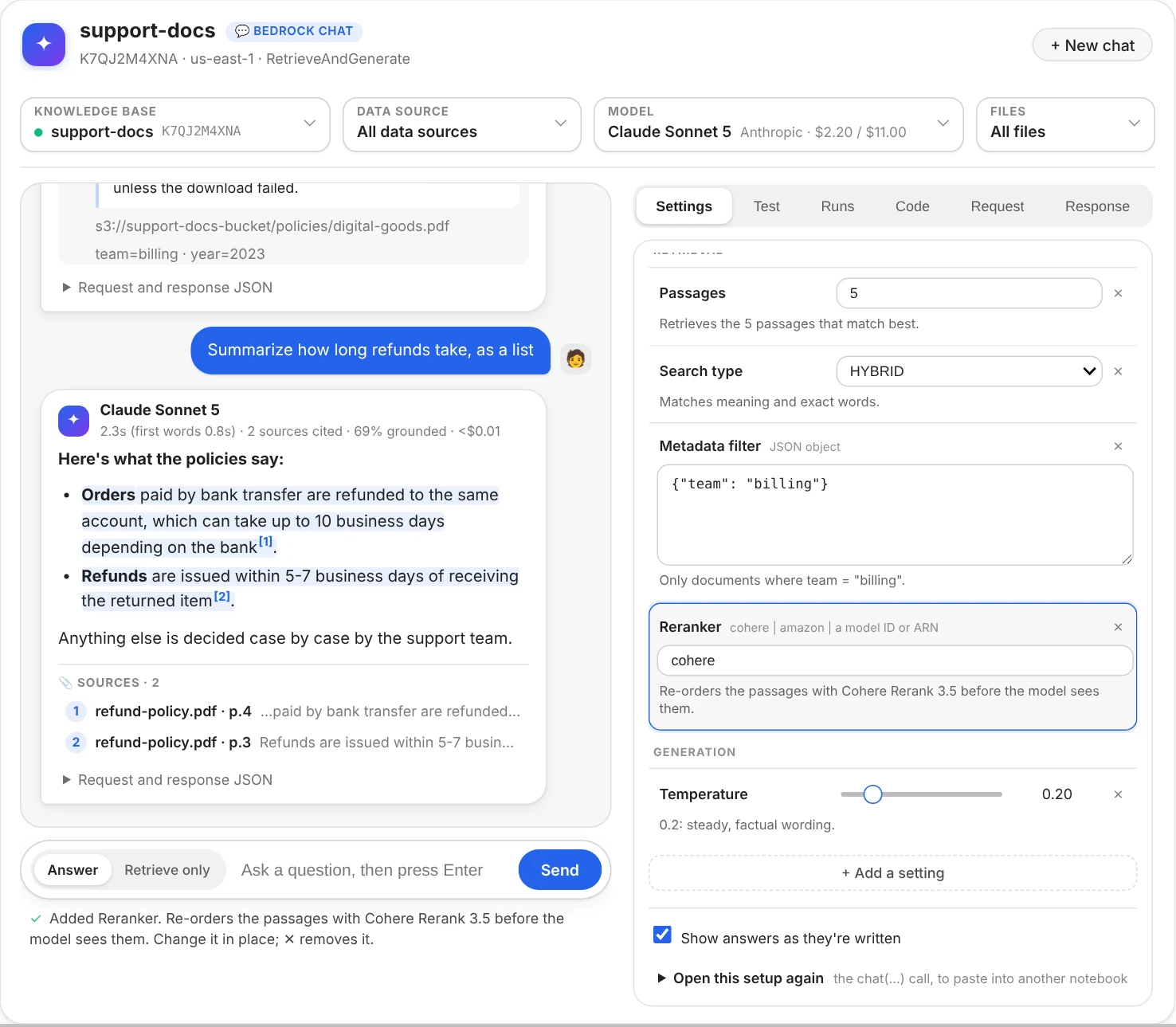
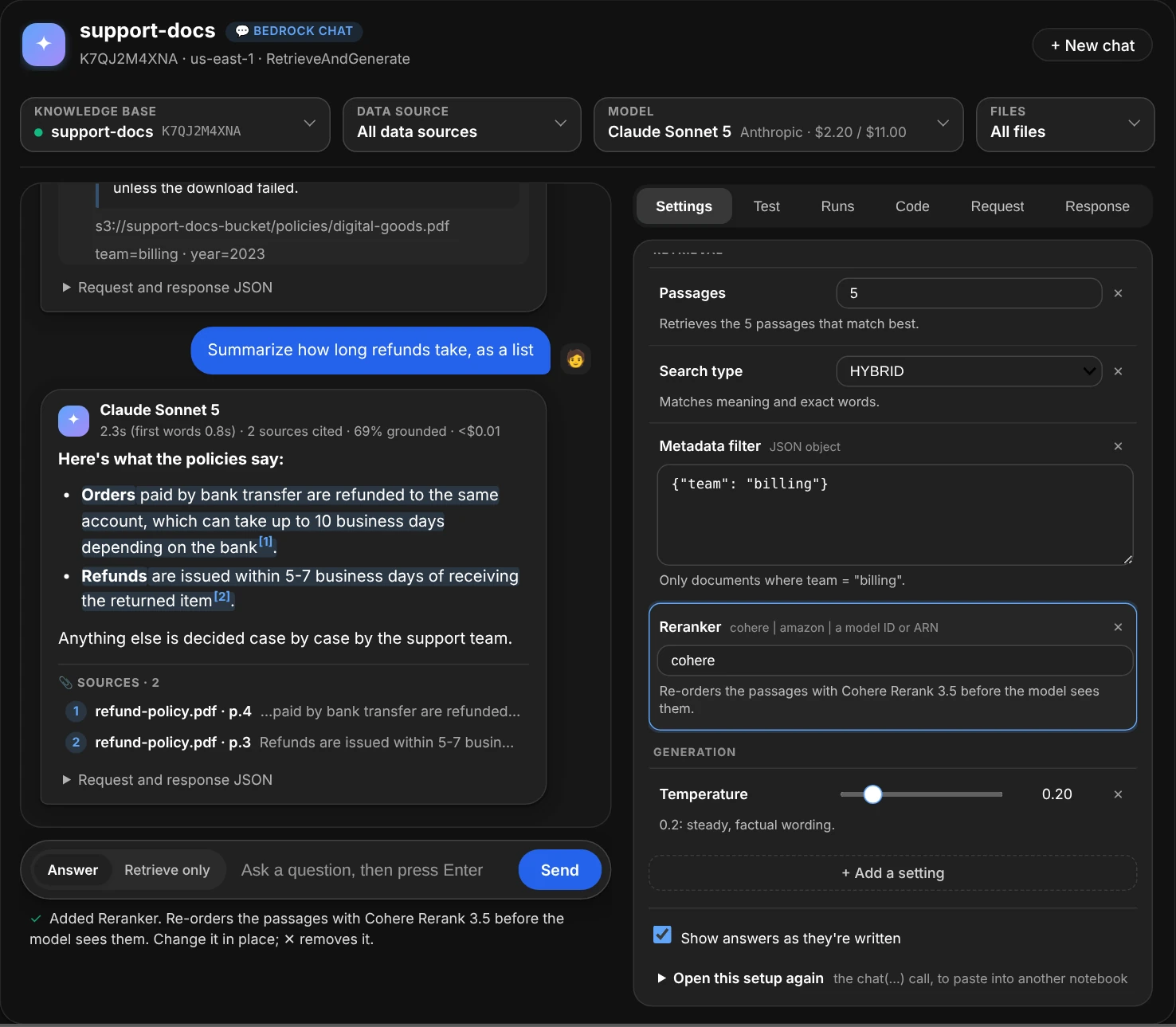
A filter, a reranker and a temperature added with one click each, every value explained in a sentence.
- Change a value in place: a slider for temperature, a list for the search type, a box for numbers, text and JSON. A value that can't be sent (temperature 1.5, JSON with a typo) turns red and says why, and isn't sent until it's fixed.
- Remove one with ✕.
- Add one with + Add a setting, which opens under the list: the common ones take one click (+ Temperature, + Metadata filter, + Reranker...), and for anything else, type in its search box: a name (
rerank), a path (performanceConfig.latency) or what it does (encrypts). The matches are listed with what each one takes and does, and + Add next to each; Enter adds the best one. A misspelt name (temprature) lists the closest ones. Browse all lists every field, grouped by what it changes. The fields come from your installed boto3's description of the API, so every field it can send is there, with its type and range. A setting you've just added is outlined until you add another, and ✕ folds Add a setting away again.
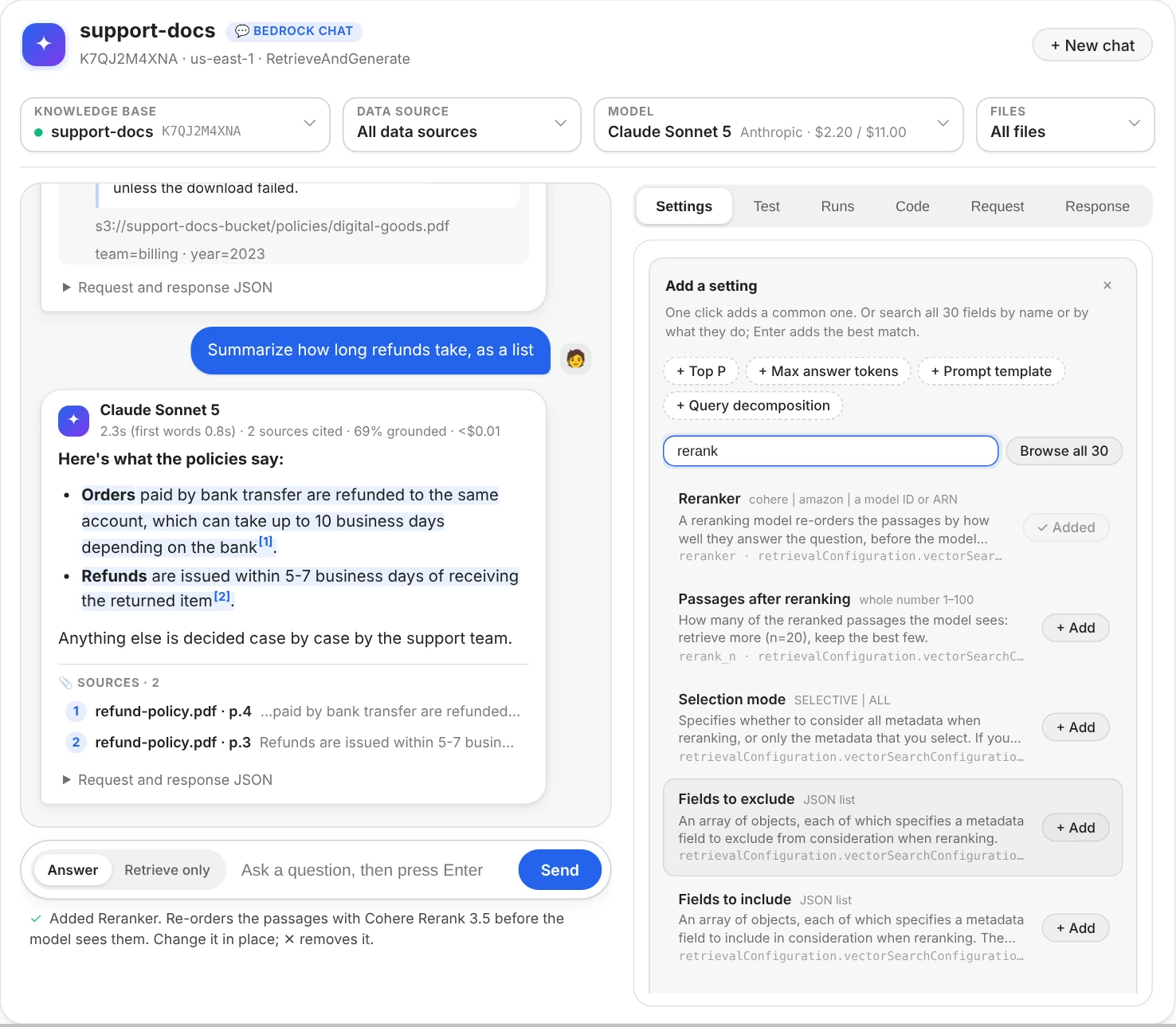
Searching the settings: every field whose name, path or description mentions "rerank", with a button to add each.
Warnings under the settings catch what Bedrock would refuse, or what won't do what it seems to: both temperature and top_p on a newer Claude model (it takes one), a prompt without $output_format_instructions$ (answers lose their citations), a guardrail ID without a version, a reranker with too few passages to choose from. Open this setup again, folded at the bottom, shows the chat(...) call with your knowledge base, model and settings, to paste into another notebook.
Settings with short names
Pass these to chat() or set() as keywords. Paths and the API's own names work too: maxTokens, generationConfiguration.performanceConfig.latency.
| Name | What it does | Sent as (from knowledgeBaseConfiguration) |
|---|---|---|
n |
Passages to retrieve, 1 to 100 (Bedrock's default is 5) | retrievalConfiguration.vectorSearchConfiguration.numberOfResults |
search_type |
"HYBRID" (meaning and exact words) or "SEMANTIC" |
…vectorSearchConfiguration.overrideSearchType |
filter (or where) |
Only documents whose metadata matches: {"team": "billing"}, {"year": [">=", 2024]}, or a Bedrock filter |
…vectorSearchConfiguration.filter |
reranker, rerank_n |
Re-order the passages with "cohere" or "amazon" (or a model ID), and keep the best rerank_n |
…vectorSearchConfiguration.rerankingConfiguration |
temperature, top_p |
Randomness, 0 to 1. Newer Claude models take one of the two | generationConfiguration.inferenceConfig.textInferenceConfig |
max_tokens, stop |
The longest answer, in tokens; up to 4 stop sequences | …textInferenceConfig.maxTokens, stopSequences |
prompt |
Your own prompt template. Needs $search_results$; keep $output_format_instructions$ for citations. Adding it starts from bedrock_chat.DEFAULT_PROMPT |
generationConfiguration.promptTemplate.textPromptTemplate |
model_fields |
The model's own settings, passed as they are: {"top_k": 50} for Claude |
generationConfiguration.additionalModelRequestFields |
guardrail_id, guardrail_version |
A guardrail that screens the question and the answer | generationConfiguration.guardrailConfiguration |
latency |
"optimized" for latency-optimized inference, where offered |
generationConfiguration.performanceConfig.latency |
query_decomposition |
True: split a complicated question into simpler searches |
orchestrationConfiguration.queryTransformationConfiguration.type |
orchestration_prompt |
The prompt of the step that rewrites the question | orchestrationConfiguration.promptTemplate.textPromptTemplate |
kms_key |
A KMS key for the conversation Bedrock keeps | sessionConfiguration.kmsKeyArn (from the request's root) |
Values are forgiving: "0.2" and 0.2, "hybrid" and "HYBRID", JSON or a Python dict for the JSON fields, one stop sequence per line. ui.fields() lists every field, including the ones without a short name (the reranker's metadata settings, the orchestration step's inference settings...).
Test a list of questions
One good answer doesn't tell you a setup works. The Test tab asks a whole list of questions with the setup you've built: the knowledge base, model, data source, files and settings. Paste the questions one per line (a column copied from a spreadsheet works, and list numbers and bullets are dropped); the button says how many it will ask, and beside it, roughly what that costs. Run asks them a few at a time, each on its own: never as a follow-up, so their order doesn't matter and none sees another's answer. The window stays usable meanwhile, and Stop sends no more.
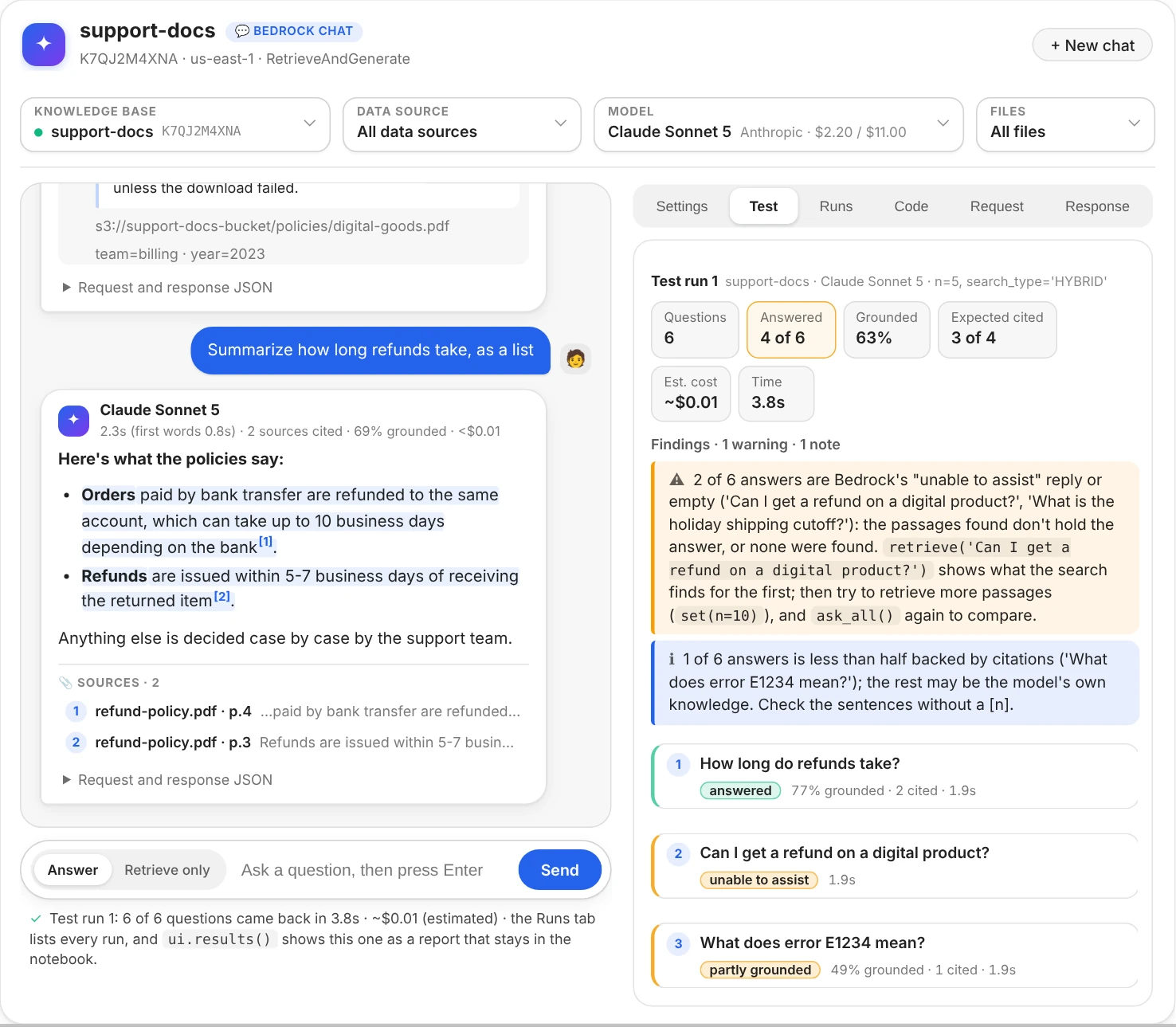
Six test questions asked with the window's settings: four answered, two Bedrock couldn't help with, and what to try next.
- A line per question, filled in as its answer comes back: how it did (answered, "unable to assist", no citations, partly grounded, a guardrail stepped in, failed), its grounded share, how many sources it cites and how long it took. Click one to read the answer as the chat shows it: citations, sources, findings, and the request and response.
- Check the source. Add
|and a piece of a file name (or of its path or text) after a question,How long do refunds take? | refund-policy.pdf, and its line says whether the answer cites that file, and as which[n]. Several, each after its own|, mean any of them. - Cards and findings sum up the run: how many were answered, the average grounded share, expected sources cited, failures, the estimated cost and the time. The findings name the questions and the next step:
retrieve('...')for the search behind the first answer that didn't work, the setting to try, or fewer questions at a time when Bedrock throttled. - Run it again. Change a setting (more passages, HYBRID search, a reranker, another model) and Run: each line says whether that question did better or worse (
↑ was unable to assist), and a finding sums up the change: Since the last run (n 5 → 10): 1 question did better; grounded 63% → 71% on average. - On Retrieve only, the list is searched instead: each line opens to the passages found, best first, and says where the expected file ranked.
From code, ui.ask_all(...) asks a list and shows the run as a report, ui.ask_all() asks the last list again, ui.results() shows a run again as a report that stays in the saved notebook (ui.results(1) the first, as runs() numbers them), and ui.batches[-1].to_df() has one row per question. A run asks up to 50 questions; ui.ask_all(limit=None) asks every one, and label= names it.
ui.ask_all("""How long do refunds take? | refund-policy.pdf
Can I get a refund on a digital product? | digital-goods.pdf
What does error E1234 mean?""", label="baseline")
ui.set(search_type="hybrid")
ui.ask_all()                         # the same questions: which did better or worse
df = ui.batches[-1].to_df()          # question, result, answer, grounded, sources, found, seconds, cost, error
Try many setups at once
Changing one setting and running the list again finds the better of two setups. To try several at once, open Try variations under the questions and write the values to try, one setting per line, separated by commas. Run then asks the list with every combination, each starting from the settings in use: two values of n and two search types make 4 setups.
n = 5, 10
search_type = SEMANTIC, HYBRID
model = haiku, sonnet
reranker = none, cohere
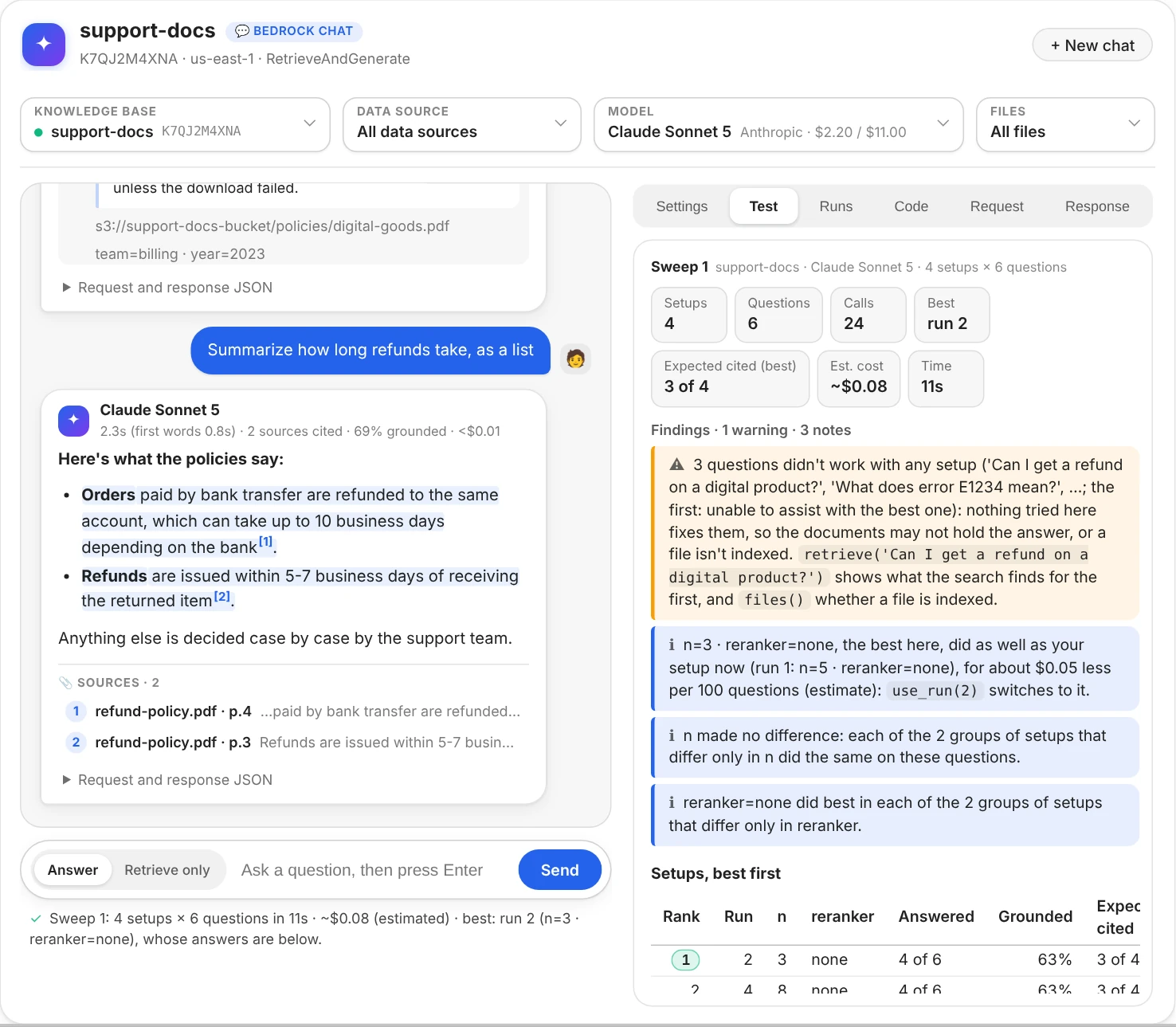
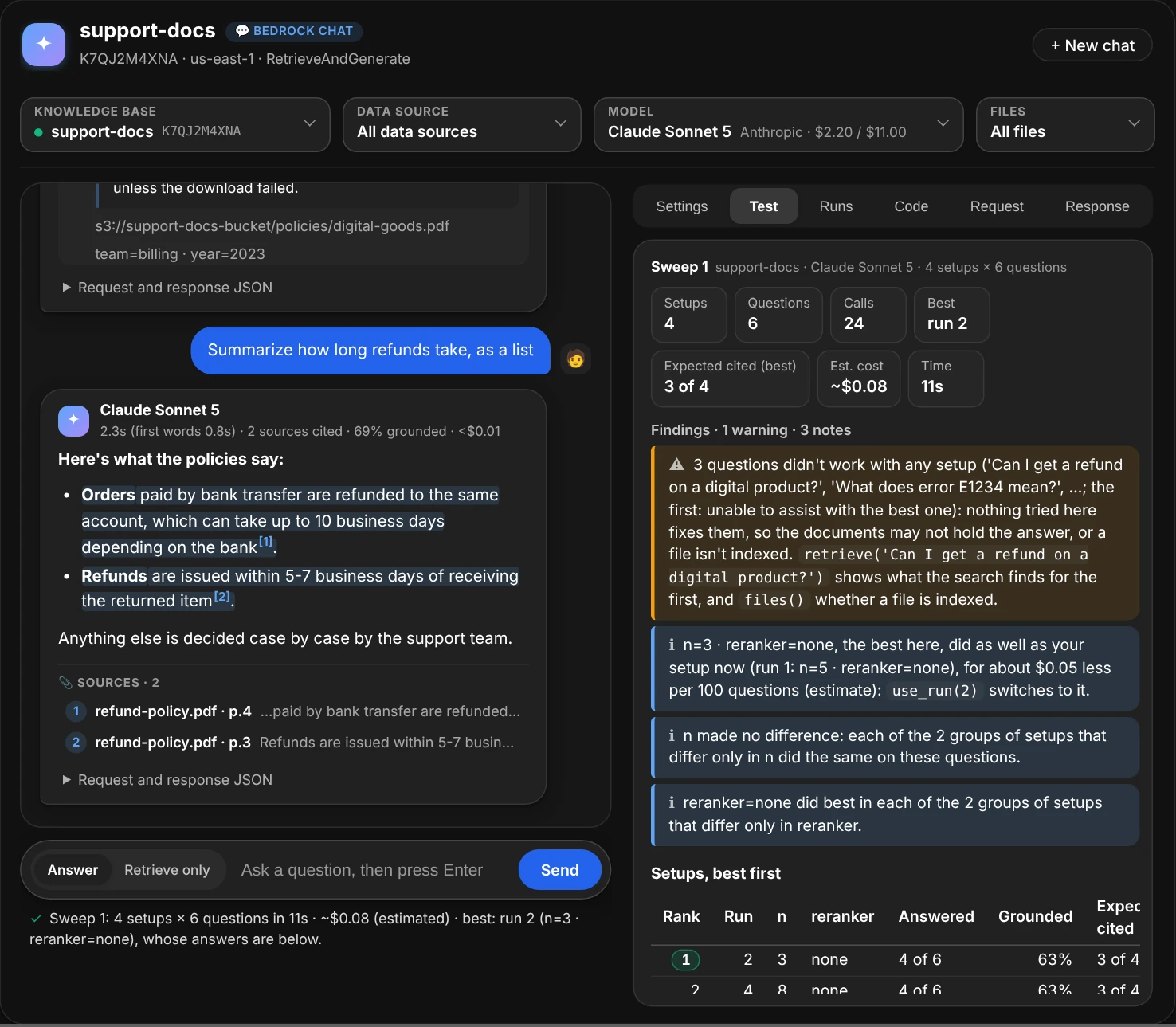
Try variations with n = 3, 8 and reranker = none, cohere: the four setups ranked, how the best compares with the setup in use, and what each setting changed.
- One click adds a line: + Passages, + Search type, + Reranker, + Model and + Temperature, and + Data source when the knowledge base has more than one (
data_source = all, faq, manuals). Any setting works, by its name or its path, and so dofiles;noneleaves a setting out, so Bedrock's default applies. The button says how many setups and questions it asks, and beside it, how many calls that makes and roughly what they cost. A sweep estimated over $2 asks for a second click. - A question at a time. Each question is asked with every setup before the next one, four at a time, so Stop leaves every setup with the same questions to compare. A line per setup counts its answers as they come back.
- The setups, ranked. By how many answers cite the expected file (the
| fileafter a question), then how many say something rather than "unable to assist", then the grounded share; when two are as good, the cheaper comes first. A searched list (Retrieve only) ranks by the expected files found, then their rank (MRR), then the searches that found passages. - What to do. The findings say which setup beats the one in use and how (n=10 · search_type=HYBRID did better than your setup now: it cites the expected source in 5 of 6 questions, against 3 of 6, for about $0.21 more per 100 questions), with
use_run(…)to switch; what each setting changed when two or more were varied (search_type=HYBRID did best in each of the 2 groups of setups that differ only in search_type, temperature made no difference); when the lead is one question, which can be chance, since a model doesn't answer the same way every time; and which questions no setup could answer, so no setting is the fix. - How each question did with each setup, a column per setup in the ranking's order, the questions that change with the setup first.
- Answers of picks a setup: its run shows under the ranking, a line per question opening to its answer. Use this setup switches the window to it.
From code, ui.sweep(...) takes the values as lists, and model=, data_source= and files= lists too:
ui.sweep(n=[5, 10], search_type=["SEMANTIC", "HYBRID"])           # 4 setups, on the last list of questions
ui.sweep(model=["haiku", "sonnet"], reranker=[None, "cohere"])    # None leaves a setting out
ui.sweep(setups=[{"n": 5}, {"n": 10, "reranker": "cohere"}])      # whole setups, instead of every combination
ui.sweep(n=[5, 10, 20], search_type=["SEMANTIC", "HYBRID"], retrieve_only=True)   # the search alone: cheap
ui.use_run()                                                      # switch to the best setup
df = ui.sweeps[-1].to_df()                                        # one row per setup, best first
Each setup becomes a test run of its own, so runs(), results(n) and use_run(n) work on it. A sweep asks up to 16 setups (max_setups=), and nothing is sent when it's estimated over $2 (max_cost=, or None for no limit). Sweeping the search settings with retrieve_only=True costs only the questions' embeddings, so it's a cheap first step: pick the search, then try models on it.
Keep and compare test runs
Every test run, from the Test tab, ask_all() or a sweep, is kept and numbered. The Runs tab lists them newest first, each with its setup, how it did, its estimated cost, and its rank among the runs of the same questions (1 of 5), under findings that name the best setup to switch to. Pick a run to Show it in the Test tab, Use this setup, or ⇄ Compare it with the other runs of its questions side by side.
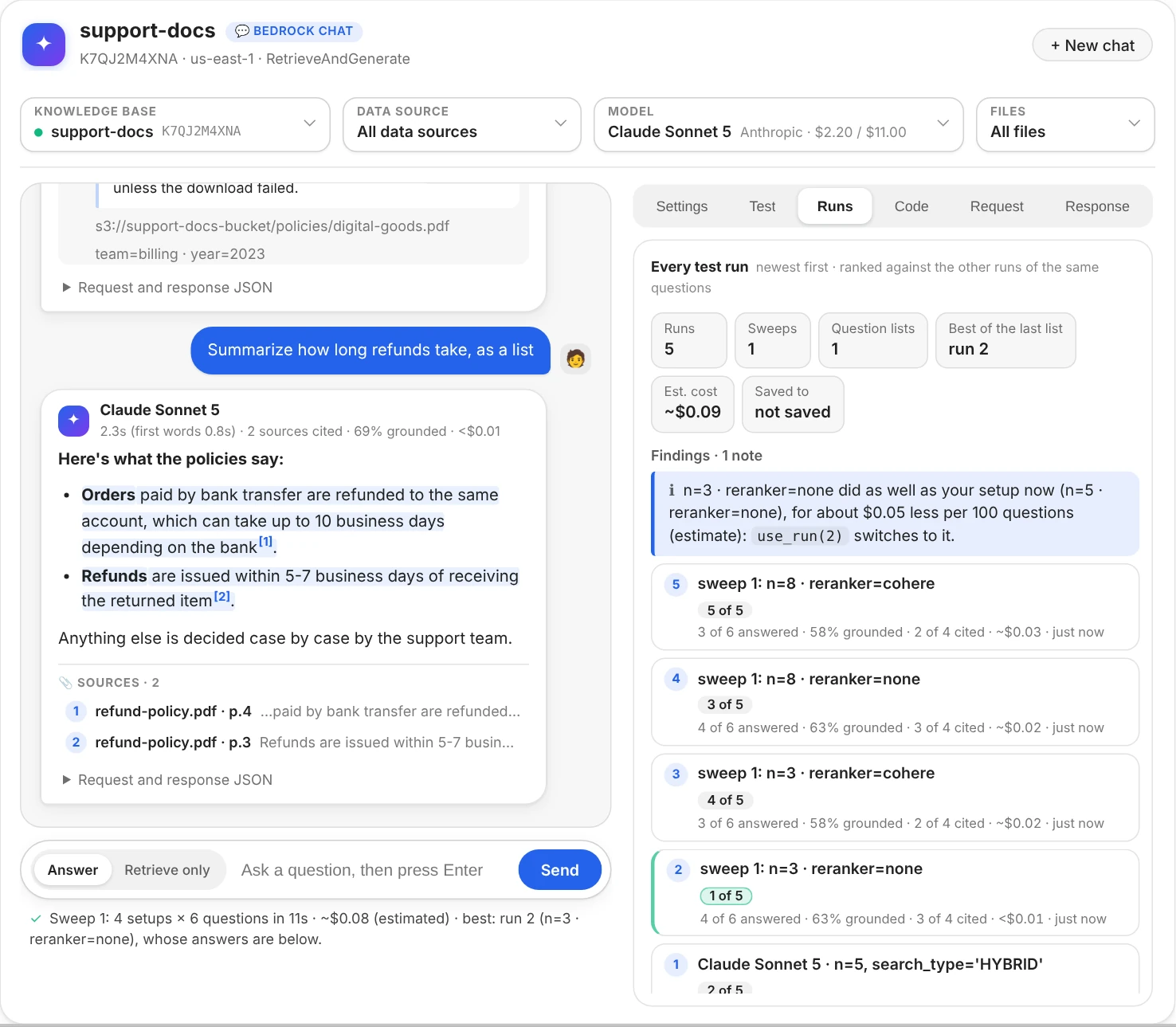
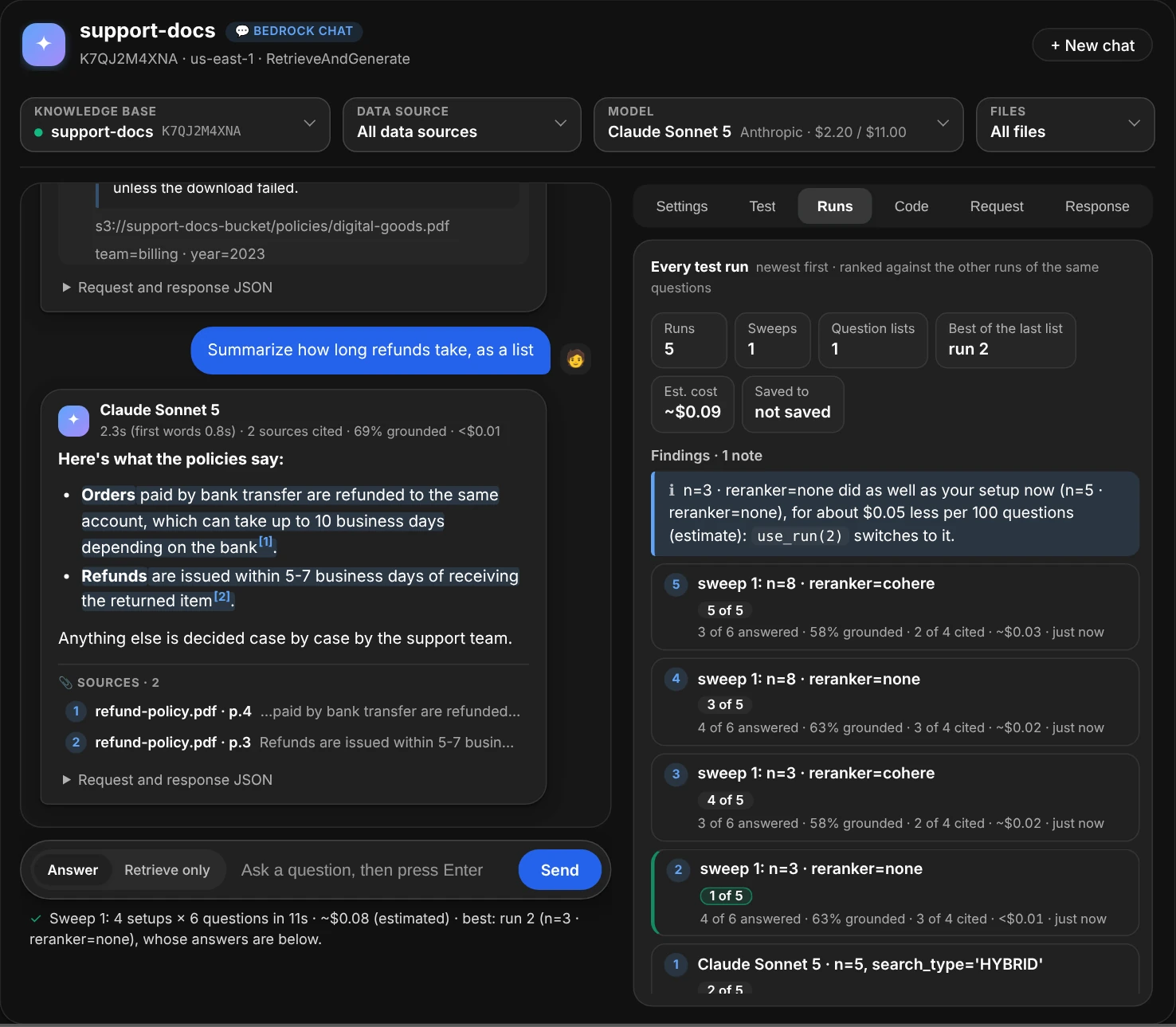
Every test run so far, the test run and the sweep's four setups, each ranked against the others of the same questions.
The runs live in the notebook's memory until you save them. Save writes them to a file beside the notebook, kb-test-runs.jsonl by default: one line per run, with its setup and each question's answer, sources, cost and request (not Bedrock's raw response). From then on every run is added as it finishes, and nothing in the file is ever changed. After a kernel restart, Load reads it back: the runs come back numbered in the order they ran, the Test tab shows the last one, and its questions are back in the box. A teammate's file loads the same way.
ui.runs()                            # every run, newest first, ranked against the runs of the same questions
ui.compare_runs(2, 5)                # two runs side by side, question by question; compare_runs(): the last list's
ui.use_run(5)                        # switch to run 5's settings, model, data source and files
ui.save_runs()                       # into kb-test-runs.jsonl, and every later run as it finishes
ui = chat("support-docs", log="kb-test-runs.jsonl")   # or save every run from the start
ui.load_runs()                       # after a restart: the runs back, to compare and reuse
pd.read_json("kb-test-runs.jsonl", lines=True)       # the file is JSON Lines: one run per line
Use the setup in your code
The Code tab gives the setup you've built as code to copy and run anywhere boto3 or the AWS CLI has credentials, and follows every change: the knowledge base, model, data source, files and settings.
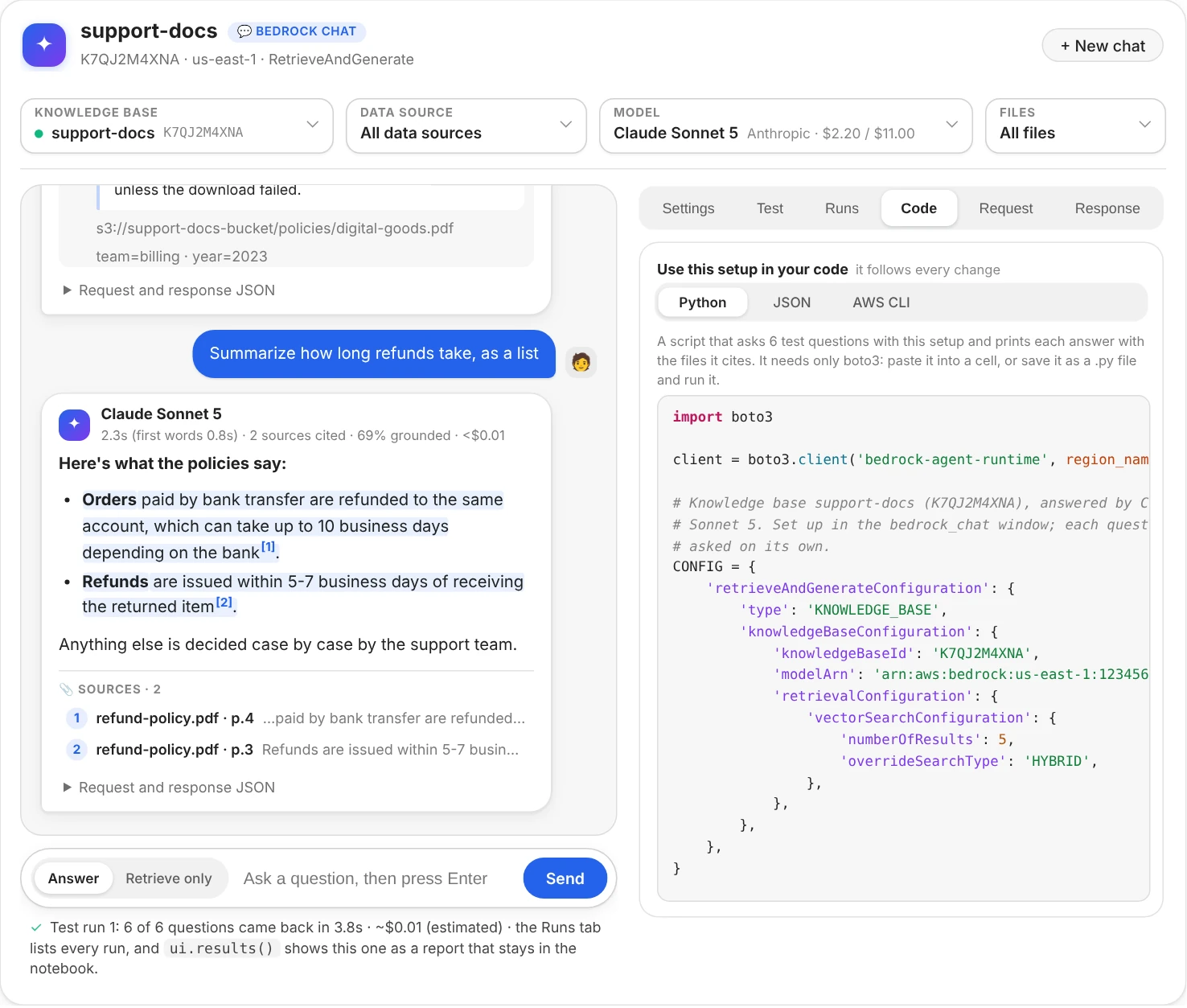
Python: a script that asks the test questions with this setup, using only boto3.
- Python is a whole script: the setup as
CONFIG, anask(question)function (pass an earlier response'ssessionIdto follow up on it), and a loop that asks your test questions (or, without any, this conversation's) and prints each answer with the files it cites. Paste it into a cell, or save it as a.pyfile and run it. On Retrieve only, it searches instead and prints each passage's score and file. -
JSON is the config: the API's own request without the question. Save it as
bedrock-config.json, then send it with any question:import json, boto3 config = json.load(open("bedrock-config.json")) client = boto3.client("bedrock-agent-runtime") response = client.retrieve_and_generate(input={"text": "How long do refunds take?"}, **config)or from a terminal:
aws bedrock-agent-runtime retrieve-and-generate --cli-input-json file://bedrock-config.json --input '{"text": "How long do refunds take?"}'. -
AWS CLI is the whole command for the first test question, to paste into a terminal (bash or zsh) with the AWS CLI v2. It prints the answer.
A setup Bedrock would refuse (a guardrail ID without its version, say) shows a warning over the code, since the code would fail the same way. From code, ui.code() shows all three as a report.
The request as JSON
The Request tab shows the exact request your next question will send, and follows every change you make. Your settings are highlighted; the fields the chat fills in are labelled (the knowledge base, model, data source and files from the pickers, the session that continues the conversation, required fields such as the reranker's type). Each object folds with a click.
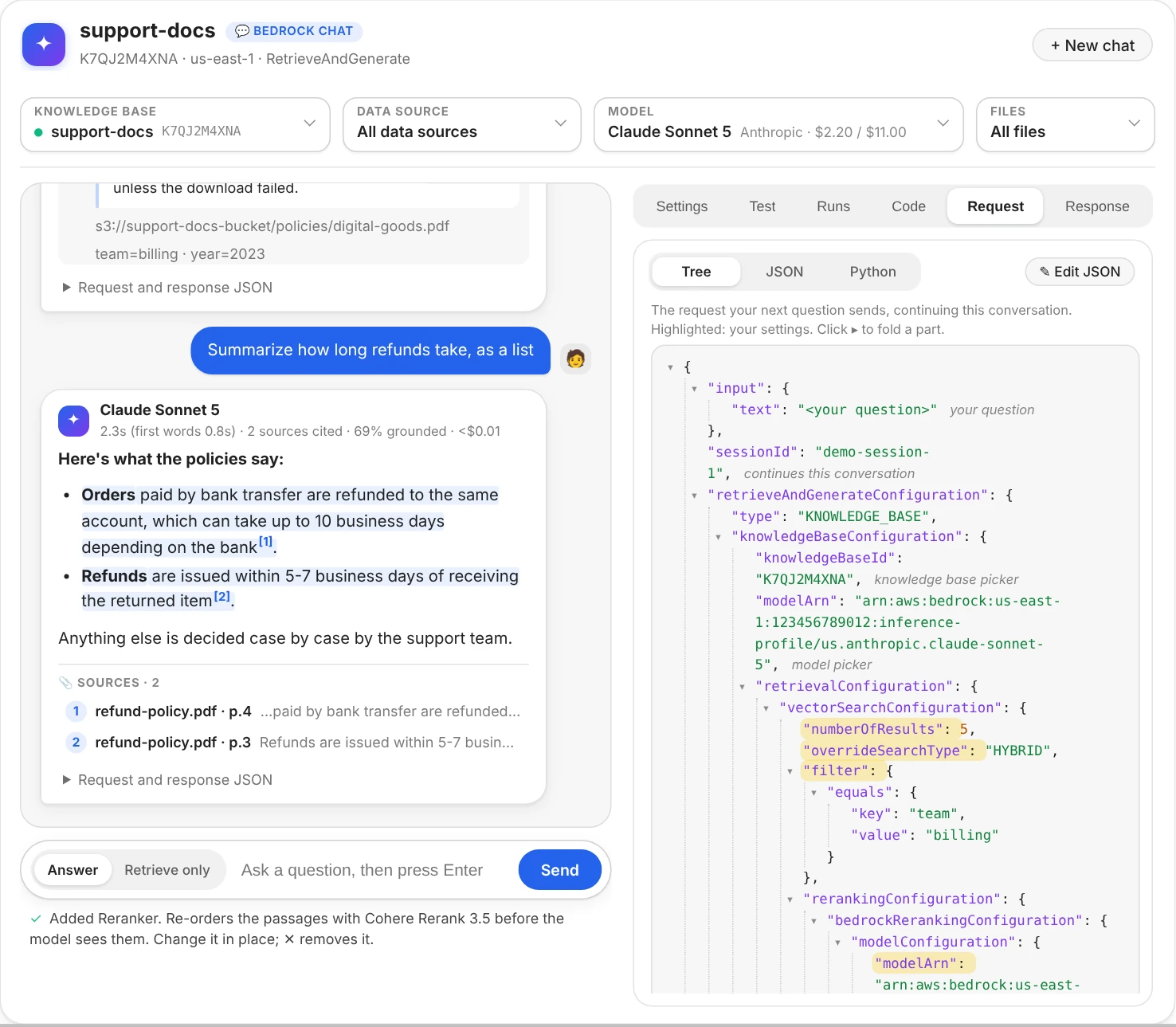
The next request, continuing the conversation. Highlighted keys are your settings.
- JSON shows the same request as plain JSON text, and Python the same call with boto3, ready to paste into your own code, both in colour. One click on either selects all of it.
- Edit JSON opens the request as text. Add, change or delete any field, then Apply: the settings, the knowledge base, the model, the data source and the files (conditions on
x-amz-bedrock-kb-data-source-idandx-amz-bedrock-kb-source-uriin the filter) follow what you wrote. Before anything changes, the request is checked the way boto3 checks it before sending, so a misspelt field, a wrong type or a missing required field is refused with the reason, and nothing changes. While the editor is open, it's the view: Tree, JSON and Python wait until you Apply or Cancel. - If the request changes while you're editing (a setting changed in the Settings tab or from another cell, another model, an answer that started a session), an editor you haven't touched takes the new request. One you have keeps your edits and says what Apply would undo; Start over puts the request as it is now in the box.
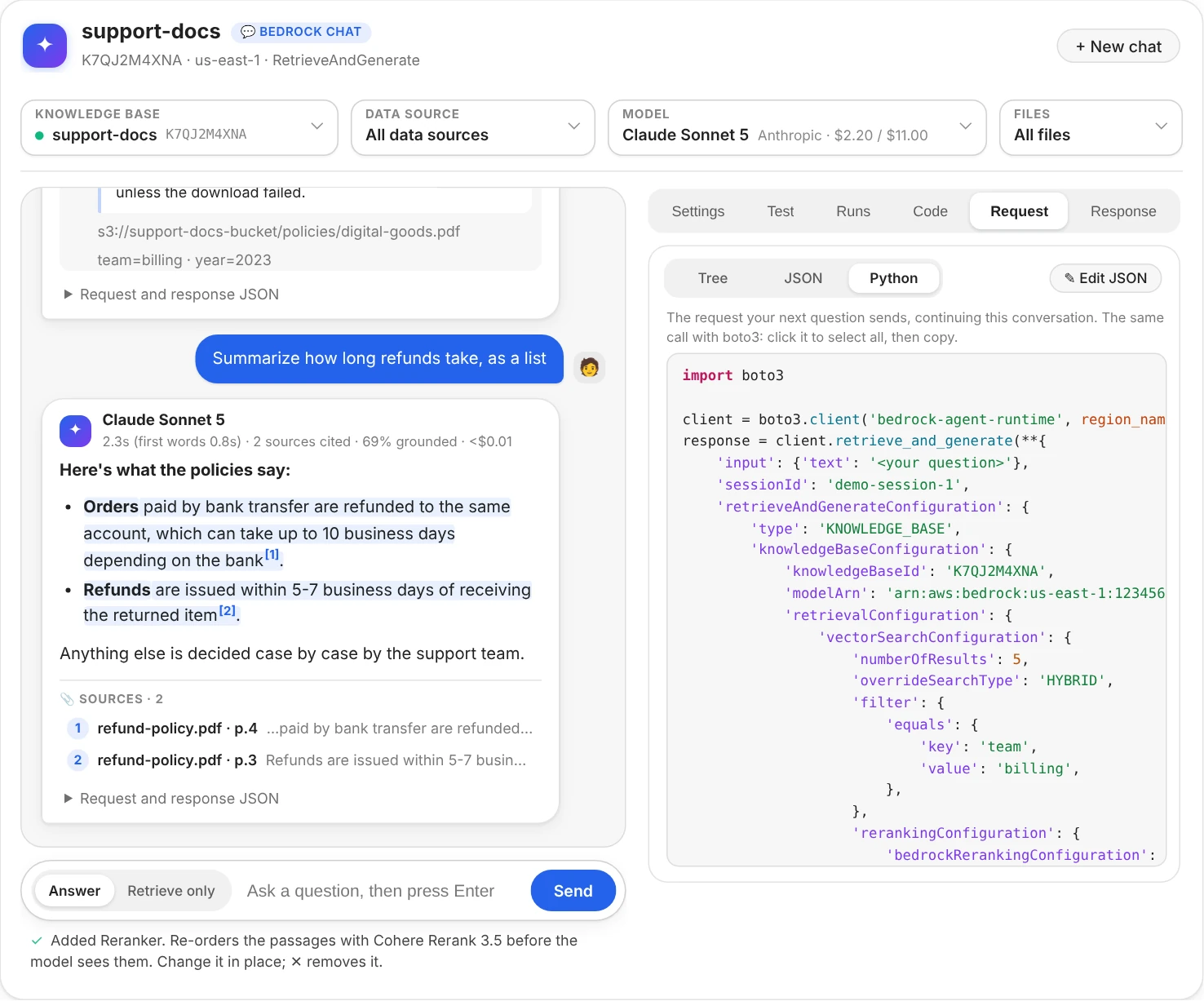
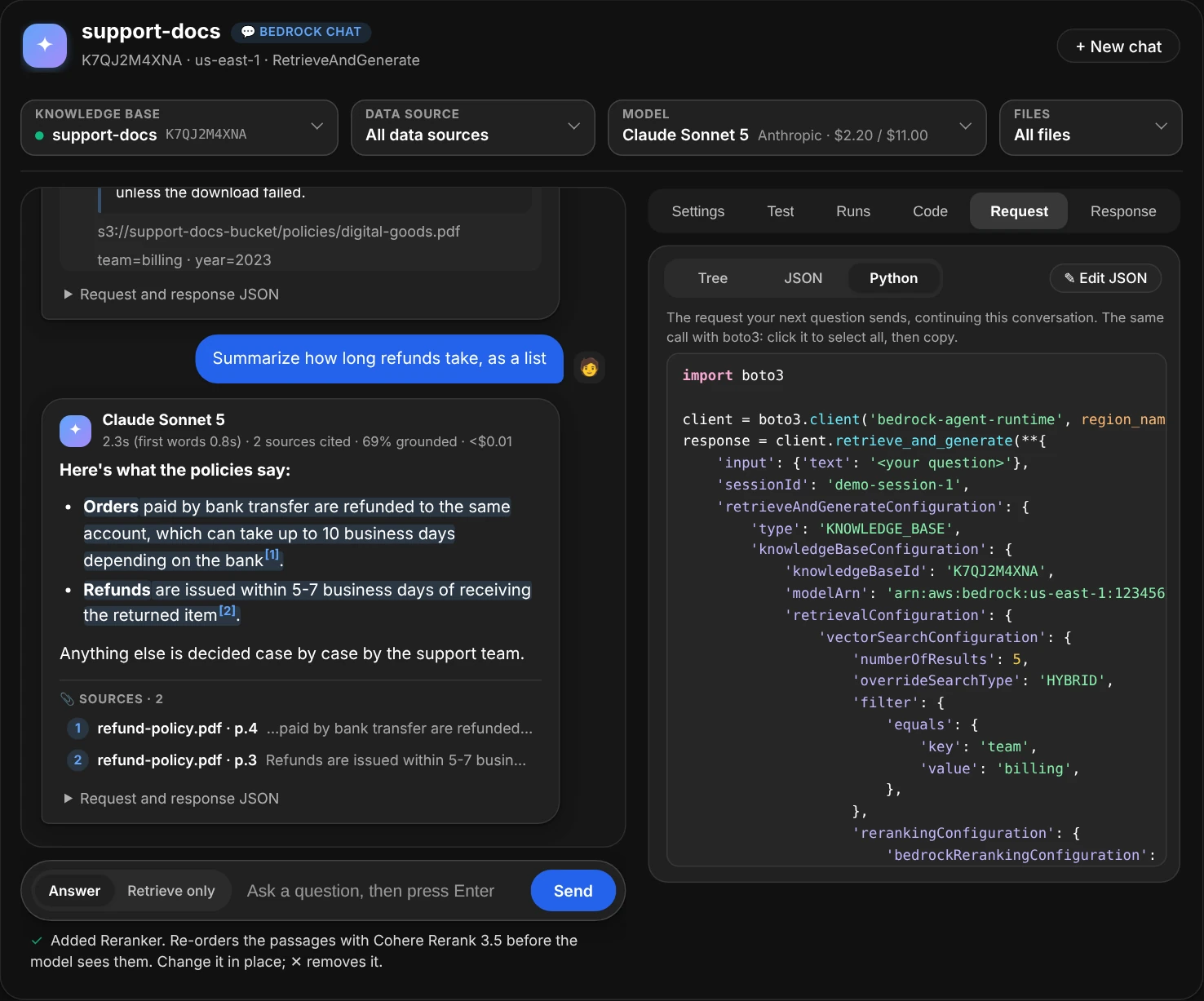
Python: the same request as a boto3 call, highlighted, to paste into your own code.
- Response shows what Bedrock sent back, folded below the top levels, and the request that was sent.
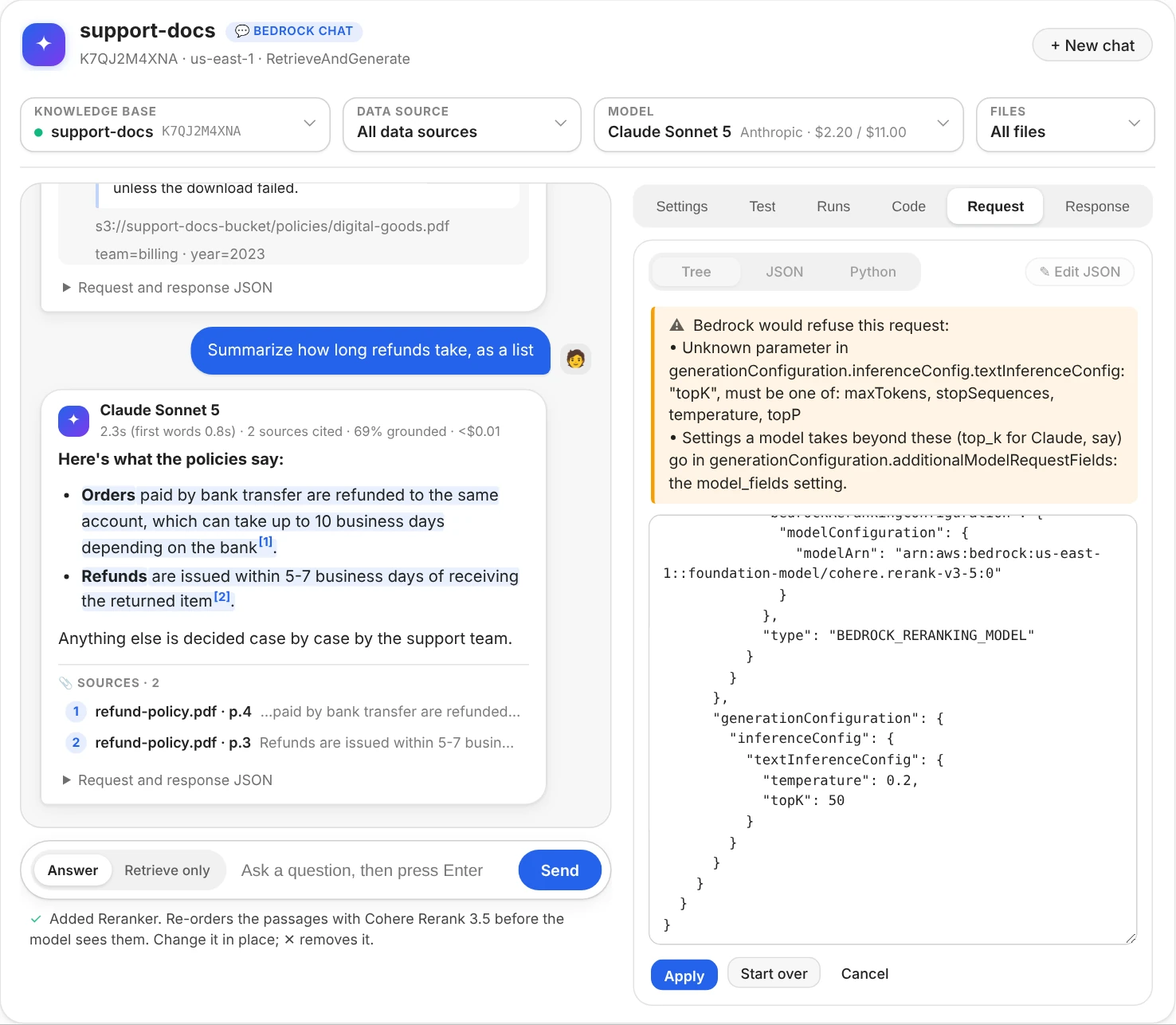
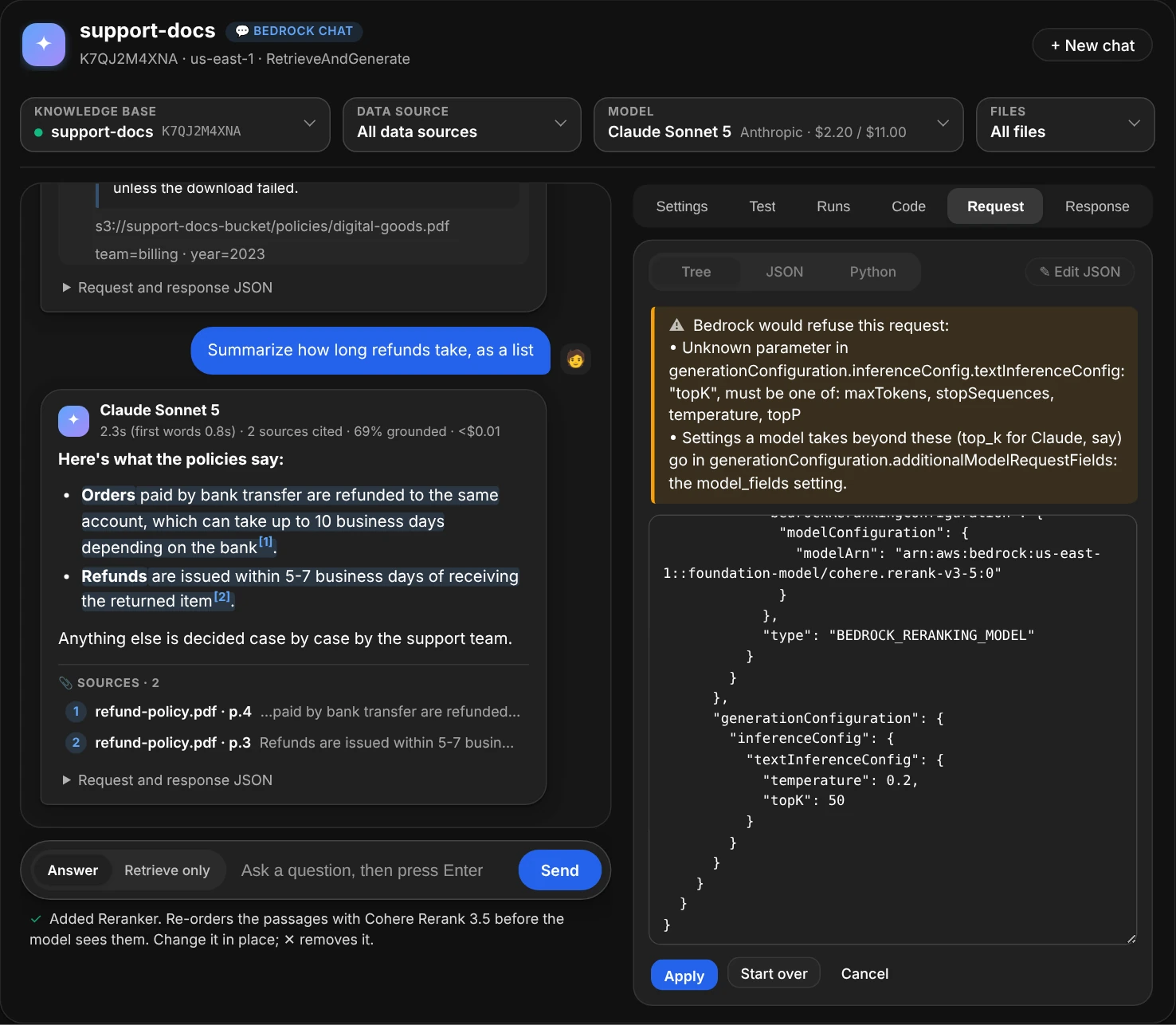
A field Bedrock doesn't take is refused before anything is sent, with the fields that are allowed there and where model-specific ones go.
Without the window
The object chat() returns is a BedrockChatView. Its commands render reports under the cell (HTML in Jupyter, plain text in a terminal), share the window's settings and conversation, and an open window follows them.
from aws_analyzer import BedrockChatView

ui = BedrockChatView(kb="support-docs", model="sonnet")
ui.ask("How long do refunds take?")    # the answer with [1][2] citations, sources, findings, cost
ui.ask("And for digital goods?")       # a follow-up in the same conversation
ui.retrieve("How long do refunds take?")   # only the search: every passage found, which ones the answer cited
ui.set(temperature=0.2, n=8)           # change settings; None removes one
ui.use(data_source="faq")              # ask only one data source ("all" for every one)
ui.files()                             # the knowledge base's files, to pick from
ui.use(files=["refund-policy.pdf"])    # ask only these files: names, paths or s3:// paths ("all" for every one)
ui.unset("temperature")                # stop sending one
ui.settings()                          # every setting in plain English, with warnings
ui.fields("rerank")                    # every field you can send that mentions "rerank"
ui.request()                           # the JSON the next question sends, and the Python call
ui.request(retrieve_only=True)         # the Retrieve request retrieve() sends
ui.last()                              # the last answer: passages in full, request and response
ui.ask_all(["How long do refunds take? | refund-policy.pdf", "Can I return a gift?"])   # a test list, each checked
ui.ask_all()                           # the same list again, after a change: which did better or worse
ui.sweep(n=[5, 10], search_type=["SEMANTIC", "HYBRID"])   # every combination of them, the setups ranked
ui.results()                           # the last test run, as a report
ui.runs()                              # every test run so far, ranked
ui.use_run()                           # switch to the best run's setup
ui.save_runs()                         # keep every run in a file; load_runs() reads it back
ui.code()                              # this setup as a Python script, JSON and an AWS CLI command
ui.transcript()                        # the whole conversation
ui.new_chat()                          # start over
ui.app()                               # the window
The window lives in the running notebook: it doesn't come back when a saved notebook is reopened. ui.transcript() writes the conversation as a report that does.
Use the data in Python
ui.answers holds the conversation's answers (and searches), ui.values the settings, and ui.core the BedrockChatAnalyzer, which returns data instead of printing:
a = ui.answers[-1]                     # Answer
a.text, a.citations, a.sources, a.grounded_share
a.request, a.response                  # exactly what was sent and what came back
df = a.to_df()                         # one row per cited source
a.retrieve_only                        # a search: no text, and a.sources is every passage found, with p.score

core = ui.core
params = core.request("support-docs", "refund window?", {"n": 8, "temperature": 0.2})   # the request, not sent
a = core.ask("support-docs", "refund window?", {"n": 8}, model="sonnet")
a = core.ask("support-docs", "and for EU orders?", session_id=a.session_id)              # a follow-up
a = core.ask("support-docs", "refund window?", data_source="faq")                       # a.data_sources: {ID: name}
a = core.ask("support-docs", "refund window?", files=["refund-policy.pdf"])             # a.files: s3:// paths
r = core.retrieve("support-docs", "refund window?", {"n": 8})        # only the search: r.sources, with scores
core.data_sources("support-docs")     # [DataSource]: ID, name, status
core.files("support-docs").documents  # [KBDocument]: s3:// path, status, data source
core.schema().fields["temperature"]   # Field: its path, type, range and what it does

batch = core.ask_all("support-docs", ["refund window? | refund-policy.pdf", "gift returns?"], {"n": 8})
batch.items[0].answer                 # its Answer (None when it failed: batch.items[0].error says why)
batch.items[0].found                  # the [n] the answer cites refund-policy.pdf as (None: not cited)
batch.to_df()                         # one row per question; ui.batches holds every test run

from aws_analyzer.bedrock_chat import sweep_setups
setups = sweep_setups({"n": [5, 10], "model": ["haiku", "sonnet"]})   # [{'n': 5, 'model': 'haiku'}, ...]
sweep = core.sweep("support-docs", ["refund window? | refund-policy.pdf"], setups, {"n": 5})   # a Batch per setup
sweep.ranked                          # [(Batch, RunScore)], best first: answered, grounded, hits, MRR, failed, cost
sweep.best, sweep.to_df()             # the best setup's run; one row per setup; ui.sweeps holds every sweep
The analysis functions don't call AWS: request_schema, normalize_settings, coerce_setting, build_request, build_retrieve_request, retrieve_settings, settings_from_request, validate_request, python_call, parse_rag, parse_retrieve, collect_stream, as_filter, describe_filter, data_source_filter, with_data_sources, split_data_sources, describe_sources, files_filter, with_files, split_condition, match_files, file_labels, describe_files, describe_setting, answer_cost, cited_ranks, and the findings, settings_findings, answer_findings and compare_findings (a search and an answer to the same question). For test runs: parse_questions, format_questions, question_list, match_expected, expected_at, item_verdict, batch_estimate, batch_findings and batch_changes (two runs of the same questions). For sweeps and kept runs: sweep_setups, parse_variations and format_variations (the Try variations box), apply_setup, sweep_estimate, run_setup, varied_setups, setup_label, shared_questions, run_score, rank_runs and ranking_findings, and run_record, run_from_record and read_runs (the file save_runs() writes). For the code: config_of, config_json, python_script and cli_command.
Cost
Each answer shows an estimated cost, and the line under the box the conversation's total. RetrieveAndGenerate doesn't report tokens, so they're estimated from characters: the question, the prompt, and the passages retrieved (only the cited ones come back, so their average size stands in for the rest). The estimate adds the question's embedding and, with a reranker, the reranking. Prices are us-east-1 list prices (MODEL_PRICES, GLOBAL_MODEL_PRICES and BEDROCK_PRICES, the same tables as bedrock_kb.py); a model not in the table shows its cost as unknown. For exact token counts, use bedrock_kb.py's ask(engine="converse"). A Retrieve only search calls no model, so it costs the question's embedding and, with a reranker, the reranking. A test run costs what its questions would cost asked one by one; the Test tab shows an estimate before you run it (guessing about 300 tokens per passage and per answer), and the run's cards show its estimated cost after. A sweep costs its setups' runs added up, 4 setups × 20 questions being 80 answers: it's estimated before anything is sent, and over $2 it isn't sent unless you allow it (max_cost=, or a second click in the window). With Retrieve only, a sweep costs only the questions' embeddings and any reranking.
from aws_analyzer import BedrockChatAnalyzer, BedrockChatView

ui = BedrockChatView(BedrockChatAnalyzer(model_prices={"claude-sonnet-5": (2.00, 10.00)}))   # $ per 1M tokens
ui.app()
Permissions
Everything is read-only: RetrieveAndGenerate reads the knowledge base and generates text, and Retrieve only reads it. A list the role can't read (knowledge bases, models) stays empty, with a note that says which permission is missing, and its search box takes an ID instead: type it and press Enter; without the data source list, questions search every data source unless you name one by its ID, and without the file list, files are named by their s3:// paths. This policy covers everything:
{
  "Version": "2012-10-17",
  "Statement": [
    {
      "Sid": "AskKnowledgeBases",
      "Effect": "Allow",
      "Action": ["bedrock:ListKnowledgeBases", "bedrock:ListDataSources", "bedrock:ListKnowledgeBaseDocuments",
                 "bedrock:Retrieve", "bedrock:RetrieveAndGenerate"],
      "Resource": "*"
    },
    {
      "Sid": "ListModels",
      "Effect": "Allow",
      "Action": ["bedrock:ListFoundationModels", "bedrock:ListInferenceProfiles"],
      "Resource": "*"
    },
    {
      "Sid": "GenerateAnswers",
      "Effect": "Allow",
      "Action": "bedrock:InvokeModel",
      "Resource": ["arn:aws:bedrock:*::foundation-model/*", "arn:aws:bedrock:*:*:inference-profile/*"]
    }
  ]
}
| Permission | Used by |
|---|---|
bedrock:ListKnowledgeBases |
The Knowledge base list, kbs, and finding a knowledge base by name (an ID works without it) |
bedrock:ListDataSources |
The Data source list, and data_source= by name (an ID works without it) |
bedrock:ListKnowledgeBaseDocuments |
The Files list, files, and files= by name (an s3:// path works without it) |
bedrock:RetrieveAndGenerate and bedrock:Retrieve on the knowledge base, bedrock:InvokeModel on the model or inference profile |
Asking, in the window or with ask; streamed answers use the same permission. Retrieve only and retrieve need only bedrock:Retrieve |
bedrock:ListFoundationModels, bedrock:ListInferenceProfiles |
The Model list, models, and turning model="sonnet" into an ID |
kms:Decrypt, kms:GenerateDataKey on the key |
Only with the kms_key setting |
A model also has to be enabled for the account under Model access in the Bedrock console. A guardrail needs bedrock:ApplyGuardrail on it.
Troubleshooting
The cell shows text instead of the window, or “Error displaying widget”
The window needs ipywidgets in the kernel and its extension in JupyterLab. On SageMaker both are there. Elsewhere, run %pip install ipywidgets, then reload the browser tab. A window from before the notebook was reopened can't come back (it lived in the old kernel): run chat() again, and use ui.transcript() to keep a conversation in the saved notebook.
“Both temperature and top_p are set …” or the model refuses temperature
Newer Claude models take one of the two. Remove one with ✕ (or ui.unset("top_p")). If the model refuses temperature on its own, remove it too.
“This model needs an inference profile”
Pick the model again in the Model list: it shows each model with the inference profile to call it through. With model=, pass the profile the note names, such as "us.anthropic.claude-sonnet-5".
“This vector store only does SEMANTIC search”
Hybrid search needs a store that keeps the text searchable, such as OpenSearch Serverless with a text field. Remove the search type.
The answer is “Sorry, I am unable to assist you with this request.”
RetrieveAndGenerate's reply when the passages it retrieved don't hold the answer. The finding under the answer says what to try: more passages, HYBRID search, or a looser filter. To see every passage the question retrieves, not only the cited ones, ask it again on Retrieve only: if the passages do hold the answer, the model is the step to change.
Answers arrive all at once instead of word by word
Either “Show answers as they're written” is off in Settings, the installed boto3 is too old to stream (%pip install -U boto3), or streaming was refused where asking without it works. The status line says which.
A setting I need isn't in the list
The fields come from the installed boto3's description of the API, so a field AWS added recently needs a newer boto3: %pip install -U boto3, then restart the kernel. Model-specific settings (top_k, reasoning budgets) go in model_fields.
Some test questions failed with ThrottlingException
Bedrock limits how many requests, and how many tokens, a model takes per minute. A test run asks four questions at a time, and the client slows down and retries when Bedrock throttles; a question that still fails gets a line saying so, and the rest are asked. Ask them again with fewer at a time, ui.ask_all(workers=1), or ask for a higher quota in the Service Quotas console.
My test runs are gone after the kernel restarted
Runs live in the notebook's memory until they're saved. Save in the Runs tab (or ui.save_runs()) writes them to kb-test-runs.jsonl and keeps adding every later run; next time, Load (or ui.load_runs()) reads them back. To save from the start, open the window with chat(..., log="kb-test-runs.jsonl").
A sweep says “nothing was sent”
It was estimated to cost more than max_cost ($2 by default) or to ask more than 16 setups. Try fewer values or questions (limit=10), sweep the search settings first with retrieve_only=True, or raise the limit: ui.sweep(..., max_cost=5). In the window, a second click on Run asks it.
A follow-up says the conversation expired
Bedrock ends sessions after a while. The chat starts a new one and says so; that answer doesn't know the earlier questions, so ask the full question if it needs them.
An error about a managed knowledge base
Managed knowledge bases answer through a different API. Search one with bedrock_kb.py's search().
Command reference
Every BedrockChatView command. ui.help() prints the same list grouped by task, and ui.help("set") shows one command's full description.
| Command | What it shows |
|---|---|
chat(kb=None, model=None, *, region=None, profile=None, settings=None, stream=True, data_source=None, files=None, retrieve_only=False, questions=None, height=None, log=None, **values) |
Opens the window and returns the view behind it; questions= fills the Test tab, log= names a file every test run is added to, and height= sets the conversation's height (it fills the browser window by default) |
app() |
The chat window |
ask(question) |
An answer with [1][2] citations, sources, findings and cost, as a report, in the same conversation |
retrieve(question) |
Only the search behind an answer: every passage found, best first, with its score, and which ones the answer to the same question cited |
new_chat() |
Forgets the conversation; the settings stay |
transcript() |
The conversation so far, as a report that stays in the saved notebook |
last() |
The last answer (or search) in full: every passage, the request and the response, and the call in Python |
ask_all(questions=None, *, retrieve_only=None, workers=4, limit=50, label=None) |
A list of test questions asked with these settings, each on its own: how each did, its grounded share, sources and the file it should cite, findings across them all, and what changed since the last run. ask_all() asks the last list again |
sweep(questions=None, *, setups=None, retrieve_only=None, workers=4, limit=50, max_setups=16, max_cost=2.0, label=None, **values) |
The test questions asked with every combination of the values listed (n=[5, 10], model=[...], data_source=[...]), the setups ranked best first, which one beats yours, what each setting changed, and how each question did with each setup |
results(run=-1) |
A test run again, as a report that stays in the saved notebook: results(1) the first |
runs() |
Every test run so far, newest first, ranked against the other runs of the same questions |
compare_runs(*runs) |
Runs of the same questions side by side, best first, question by question |
use_run(run=None) |
Switches to a run's settings, model, data source and files; use_run() the best of the last list |
save_runs(path=None) |
Adds every test run to a file, and every later run as it finishes |
load_runs(path=None) |
Reads saved test runs back in, and lists them |
settings() |
What's sent with every question, in plain English, with warnings and the chat(...) call that opens the setup again |
set(name=None, value=None, **values) |
Changes settings: set(temperature=0.2), or set("a.field.path", value) |
unset(*names) |
Stops sending settings |
fields(match=None) |
Every field RetrieveAndGenerate takes: its name, type and range, what it does, and its path |
request(question=None, retrieve_only=None) |
The JSON the next question sends, and the same call in Python; retrieve_only=True for the Retrieve request |
code(questions=None, retrieve_only=None) |
This setup as a Python script (boto3 only) that asks your test questions, the config as JSON, and the AWS CLI command for one question |
use(kb=None, model=None, data_source=None, files=None) |
Switches the knowledge base, the model, or the data source or files questions search |
files(match=None) |
The knowledge base's files to pick from, whether each is indexed, and which ones questions search |
kbs(match=None) |
The knowledge bases in the region; match= keeps those whose name, ID or description holds it |
models(match=None) |
The models you can chat with, how each is called, and its price |
help(command=None) |
This list, grouped by task; help("name") shows one command in full |